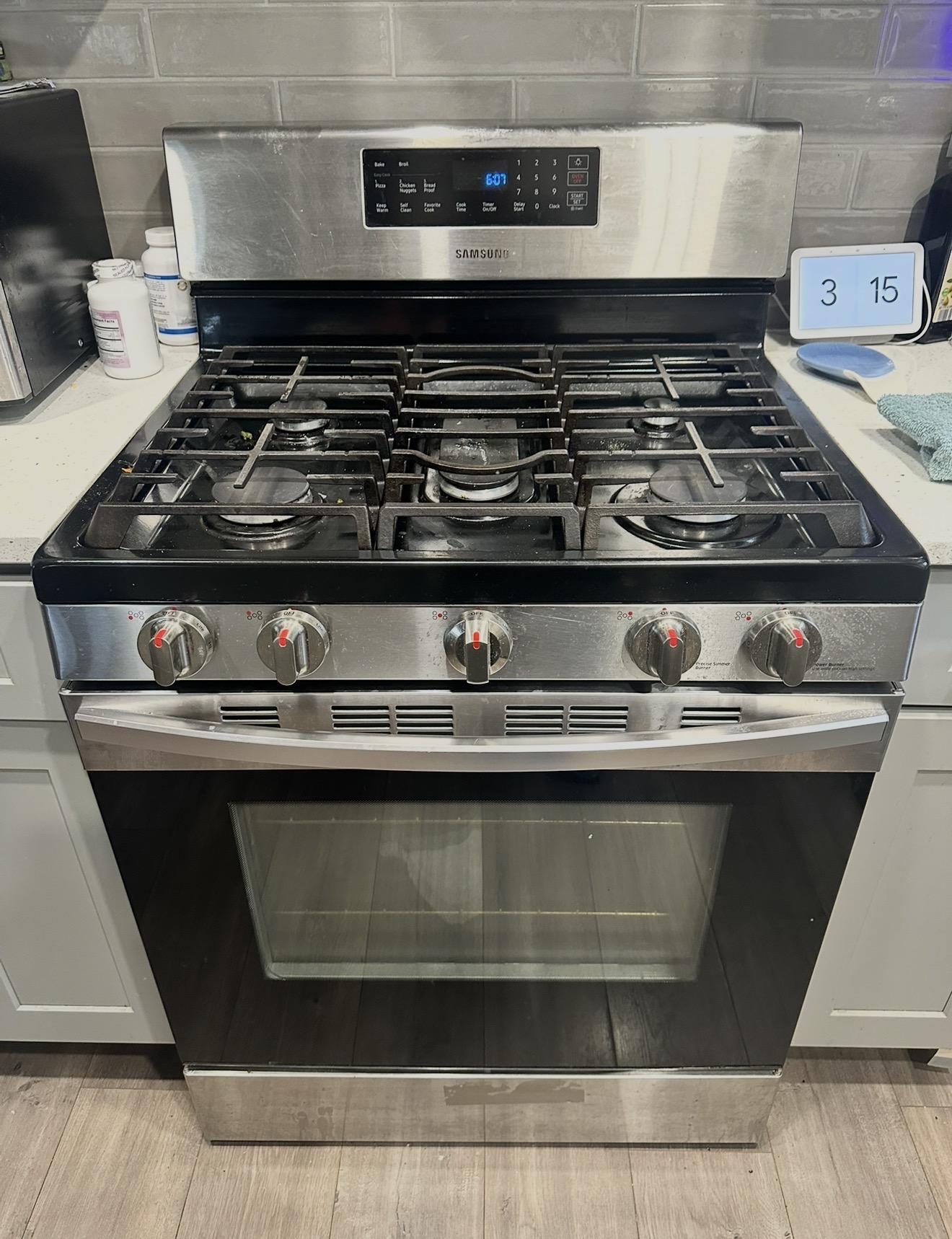
Oven won't heat · Burners click but won't light · Igniter glows but no flame · Won't turn on · Stuck on preheat — same-day Samsung gas range repair in South Beach, Arrochar, Fort Wadsworth & Rosebank
$80 diagnostic · Exact repair price after diagnosis · 90-day warranty
GET A CALLBACK
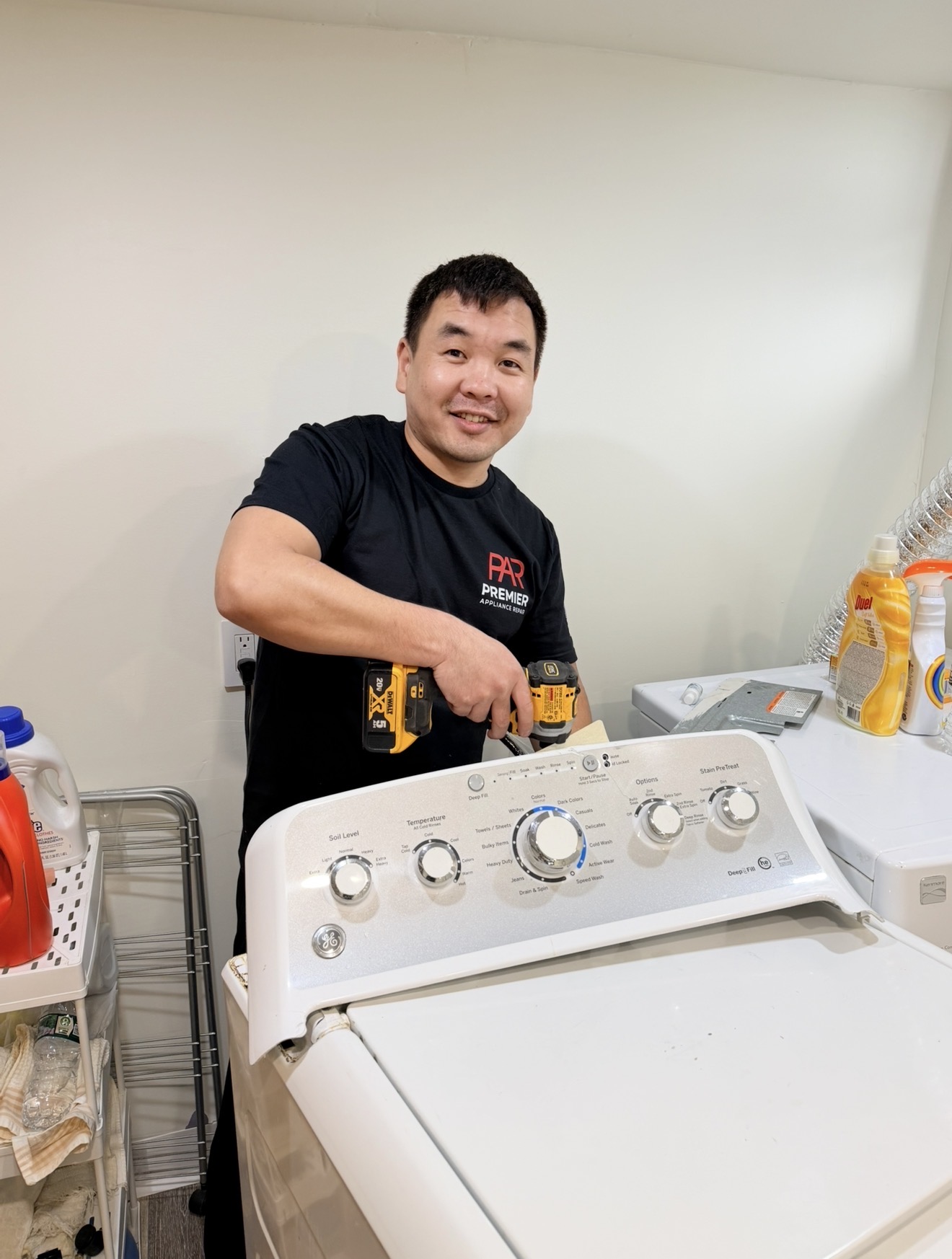
Describe the problem — Badma will call to confirm the likely fix and same-day availability in South Beach, Arrochar, Fort Wadsworth, or Rosebank.
Samsung Oven Repair — South Beach 10305
"Samsung oven won't heat." "Burner clicks but won't light." "All burners click at the same time when I turn one knob." If you live in South Beach, Arrochar, Fort Wadsworth, or Rosebank, these are the three calls we hear most — and there's a specific reason 10305 generates more of them than inland Staten Island ZIPs. We'll explain it below. The good news: many of these complaints have simple fixes you can try yourself in five minutes, before spending anything on a service call.
If the simple checks don't solve it, that's when you call us. Premier Appliance Repair charges a flat $80 diagnostic to come anywhere in 10305 — whether you're on Father Capodanno Blvd, the elevated rebuilds on Sand Lane, or up the slope on Hylan Blvd. Badma diagnoses on-site and gives you the exact repair price in writing before starting. If you approve, the $80 applies toward the repair. If you don't, you pay only the $80. The final price depends on your Samsung model and which part failed — we don't guess over the phone because two ovens with the same "won't heat" can need different parts.
Safety first — gas smell is not a DIY situation. If you smell gas (and not just a brief whiff when a burner first lights), turn off the range, open windows, do not flip any light switches, and call National Grid at 1-718-643-4050. They respond 24/7 free of charge and will shut off the supply if there's a leak. Only after the gas situation is safe, call us.
10305 sits directly on Lower NY Bay — South Beach Boardwalk along the water, Father Capodanno Blvd running parallel to the shore, Fort Wadsworth at the foot of the Verrazzano Bridge, Arrochar climbing the slope above Hylan Blvd. The proximity to salt water has two specific effects on Samsung gas ranges that we don't see as often in inland ZIPs.
First, the spark electrodes — small ceramic-and-metal pieces sitting next to each cooktop burner — corrode faster. The metal tip that delivers the spark is exposed and oxidizes when humid, salt-laden air gets into the cooktop area. A healthy electrode produces a strong blue-white spark. A corroded one produces a weak yellow-orange spark, or no spark at all — which is why "burner clicks but won't light" is the #1 cooktop complaint in 10305. Where Samsung electrodes typically last 8–10 years inland, in 10305 we see them failing at 4–6 years.
Second, moisture trapped under the cooktop triggers the spark module to fire continuously. This shows up as "all four burners click when I turn one" or "burners click on their own when nothing is set." It's especially common after a humid summer day, a heavy rain that came through an open kitchen window, or a thorough stovetop cleaning. Sometimes it dries out on its own. Other times the moisture has caused permanent damage to the spark ignition switches behind the knobs and they need replacement.
Add to that the post-Sandy reconstruction. Hurricane Sandy in October 2012 hit South Beach hard — many homes along Father Capodanno Blvd and Sand Lane were rebuilt or elevated to FEMA flood standards. In some of these rebuilds, kitchens were redesigned with new gas line geometry, sometimes with longer flex runs to accommodate elevated structures. This isn't a problem on its own, but it occasionally interacts with appliance ignition issues in ways inland kitchens don't see.
Before assuming a part has failed, rule out three "false alarms":
1. Demo mode is on. If your range was a floor model or recently moved/installed (which happens a lot in 10305 with post-Sandy rebuilds), it might be in Demo mode. The display will show "d", "D", "tESt" (or "tE 5t"), or "DEMO". In Demo mode, the cooktop on a gas range still works (igniters spark) but the oven will not heat at all. To exit on most NX58 models, hold the Options button and follow the prompt in your user manual. This fixes thousands of "Samsung oven won't heat" calls every year.
2. The door wasn't fully closed. Samsung ovens have a safety feature: if the door is left open for more than about a minute, the oven shuts off automatically. If the oven seemed to start, then went cold, this is the likely culprit. Make sure the door is fully closed — sometimes an oven rack edge or a pan handle catches the door and leaves a small gap.
3. The breaker tripped. Even gas ovens need 120V electricity for the controls and igniter. Check the panel for a breaker labeled "Range" or "Oven." Flip OFF for 30 seconds, then ON. In coastal 10305, sometimes a circuit shared with other rooms trips during an air conditioner cycle on a humid day.
Different from oven not heating — this is the cooktop, and given the coastal-air corrosion factor in 10305, this is the call we get most. Most of the time it's a cleaning fix; sometimes it's a corroded electrode. Here's the order:
Step 1 — Clean. Let the burner cool. Lift off the grate, the burner cap (round black piece on top), and the burner head (metal piece with small holes around the edge). Clean the small holes with a pin or toothpick — trapped food and grease block gas flow. Wash everything with warm soapy water, rinse, and dry completely. In 10305, drying is critical — humid coastal air leaves moisture clinging longer than inland.
Step 2 — Check the electrode. Look at the small ceramic piece next to the burner — usually about an inch tall with a metal tip. In a healthy electrode, the tip is shiny and clean. In a corroded one, it's dull, white-flaked, or pitted. If you see corrosion, the electrode needs replacement. This is far more common in 10305 than in inland Staten Island.
Step 3 — Test the spark. With the kitchen lights off, turn the knob to LITE. You should hear rapid clicking and see a bright blue-white spark jump from the electrode tip to the burner head. If the spark is yellow, weak, or only intermittent, the electrode is failing. If there's no spark at all, the spark module behind the control panel has weakened or the spark switch behind the knob has failed.
The spark module (DG96-00297A on most NX58 models) and individual electrodes are standard same-visit replacements. Badma carries common parts on the truck.
This is a different complaint than "one burner won't light" — and it's especially common in 10305 because of moisture intrusion. If turning one knob makes all burners click, or burners click on their own when no knob is turned, you have one of two issues:
(1) Moisture under the cooktop. Humid coastal air, a recent boilover, post-cleaning moisture, or a leak through an open kitchen window all do the same thing — water sits in the spark module wiring and triggers it constantly. Try this: turn off the range at the breaker, open windows, leave the cooktop alone for a few hours (preferably overnight) to dry out. Then turn power back on. If the clicking is gone, you're done.
(2) Failed spark ignition switch. If after drying out the clicking comes right back, a spark ignition switch behind one of the knobs has corroded internally and is stuck "on" electrically — meaning it's signaling "spark needed" continuously. Standard replacement, same-visit repair.
This problem typically appears 30–50% more often in 10305 than in inland ZIPs because of the coastal humidity factor.
The most common Samsung gas oven failure (separate from cooktop issues above). The bake igniter weakens with age — it still glows, but no longer pulls enough current to open the gas safety valve, so no gas flows. Here's the test: set the oven to Bake 350°F and watch through the window with the oven light on.
Within 30 to 60 seconds, you should see a bright orange glow at the bottom of the oven, followed by a blue flame. Three outcomes:
(a) Glow but no flame ever lights. Weak igniter, needs replacement. The bake igniter (DG94-01012A on most NX58 models) is a standard same-visit repair.
(b) Glow takes more than 90 seconds. Samsung itself says this means the igniter is too weak. Replace before it fails completely.
(c) No glow at all. Dead igniter, broken wire, or control board relay fault. Multimeter test: a healthy Samsung oven igniter reads between 10 and 2,500 ohms.
Specific complaint with a specific cause set:
1. Stuck at 150°F display. Samsung shows "150°F" during the entire preheat — the number only starts climbing once the oven actually exceeds 150°F. So if the display is stuck at 150°F, the oven is not heating at all. Run the bake igniter glow test above.
2. Stuck at 175. Often Celsius vs Fahrenheit confusion — 175°C = 350°F. Check your panel's units setting in the user manual. If your oven is genuinely stopping heat at 175°F (Fahrenheit) and you're set to F, the temperature sensor (DG32-00002B) is drifting badly and needs replacement.
Different problem from "won't heat." If the display is completely dark or buttons don't respond:
Step 1: Check the breaker labeled "Range" or "Oven" — even half-tripped breakers cause weird symptoms. Cycle OFF for 30 seconds, then ON.
Step 2: Reseat the wall plug. Salt-air corrosion in 10305 outlets behind ranges — over years the plug-to-outlet contact can degrade faster than inland. Push the range out and verify the plug is fully seated, no green corrosion on prongs.
Step 3: Power cycle for a full 5 minutes — sometimes the control board is stuck.
If the display still won't power up, the control board, ribbon cable, or internal power supply has failed.
If the oven heats but takes 25–30 minutes to reach 350°F, or food consistently undercooks/burns:
(1) Weak bake igniter. Even when it lights the burner, a weak igniter cycles the gas valve open inefficiently. Run the glow test above.
(2) Worn door gasket. Inspect the seal around the oven opening. If torn or compressed flat, heat is escaping. In 10305, salt humidity can also cause gaskets to harden and crack faster than inland.
(3) Drifting temperature sensor. Buy a $6 oven thermometer. Off by more than 35°F = sensor needs replacement.
A lot of shops quote a price on the phone and change it when they arrive. We don't. Two Samsung gas ovens with "won't heat" can need different parts: a weak igniter, a corroded electrode, a dead temperature sensor, a relay on the control board, or wiring damage. The only way to know is to test on-site. You pay $80 for the diagnosis. You get the exact repair price in writing. You decide whether to proceed. If yes, the $80 is credited toward the repair. If no, you pay the $80 and we leave. Same deal for every customer in South Beach, Arrochar, Fort Wadsworth, Rosebank, and Grasmere.
Although nearly every kitchen in 10305 runs on natural gas, Samsung also makes electric ranges (NE58, NE59, NE63 series). If you have one with a bake element, temperature sensor, or control board issue, we service those the same way — $80 diagnostic, exact price after, 90-day warranty. Common cause of "Samsung electric oven won't heat" is a bake element that cracked during a self-clean cycle. In coastal 10305, electric models also see faster wiring corrosion at the back of the unit — worth checking during diagnosis.
Why Choose Premier
| Factor | 🏢 Samsung Service | 🔧 Premier Appliance |
|---|---|---|
| Arrival in South Beach | ❌ 5–14 day wait | ✅ Same-day |
| Free phone advice before a visit | ❌ Queue & script | ✓ Always |
| Diagnostic fee | ❌ $100–150+ | ✅ $80, applied |
| Price quoted before work starts | ❌ Not always | ✅ Always in writing |
| Warranty | ❌ Varies | ✅ 90-day guarantee |
| Weekend availability | ❌ Weekdays only | ✅ Mon–Sun |
Honest, Transparent Pricing
Book Your Visit
Same-day diagnosis — $80 flat, exact repair price after we see the problem. Badma covers Father Capodanno Blvd, Hylan Blvd, Sand Lane, and all of ZIP 10305.
📅 Book Online Now 📞 (929) 261-4444Samsung Oven Error Codes & Display Diagnostics
Lower NY Bay proximity drives a different mix of display codes in 10305. Spark module faults and corrosion-related sensor errors show up more often here; ribbon cable codes from connector oxidation are also above the borough average.
E-08 indicates the oven did not reach the set temperature within the expected time. In coastal 10305, the typical cause is a weakening bake igniter — but salt-air corrosion on the igniter wire connectors can also reduce current flow enough to mimic igniter failure.
Igniter replacement (DG94-01012A on most NX58 models) is standard; in coastal homes Badma also inspects the connector for corrosion and re-pins if needed. Call (929) 261-4444 →
C-d0 means the control board sees a touch button as constantly pressed. In coastal 10305, salt-laden humidity in the air can leave a thin conductive film on the touch panel, simulating a press even after the panel looks clean.
If C-d0 keeps returning after a thorough clean and dry-out, membrane switch under the panel or the control board needs replacement. Coastal humidity accelerates membrane switch failure. Call (929) 261-4444 →
C-d1 indicates an electrical short in either the touch panel circuit or the door lock circuit. The control board sees a current path it should not be seeing.
In coastal homes we sometimes find moisture-induced corrosion on lock motor contacts behind the front frame; replacement resolves it. Call (929) 261-4444 →
C-20 means the oven temperature sensor — a thermistor that lives inside the cavity — is reporting a value the control considers impossible. C-21 is the related over-temperature warning. In coastal 10305, sensor wire connector corrosion sometimes drives this code rather than the sensor itself failing.
Sensor (DG32-00002B) is the typical replacement; in 10305 we often also clean or re-pin the connector behind the cavity. Call (929) 261-4444 →
The main relay board and the display board exchange data via a flat ribbon cable. C-F0 means that connection has failed. In 10305 with coastal humidity, ribbon cable connector pins can develop oxidation that intermittently breaks the connection.
Recurring C-F0 in coastal 10305 usually means reseating the ribbon cable (after cleaning the contacts) or replacing the relay board (DG92-01084E). Call (929) 261-4444 →
LE shows when the door lock motor cannot return to the unlocked position. Self-clean ran, oven cooled down, but the lock did not release. Coastal-area moisture intrusion on the lock motor contacts is a 10305-specific accelerator.
Coastal homes see slightly more lock motor failures because moisture accelerates contact wear inside the motor housing. Call (929) 261-4444 →
C-F2 means the convection fan motor is not turning when convection mode requires it. Bearing wear is the most common cause; coastal humidity can accelerate it slightly.
Standard same-visit fan motor replacement on Samsung NX58 ranges. Call (929) 261-4444 →
Oven not heating, but the display is silent — no error code at all. In coastal 10305 there are four typical causes.
If none of those apply, a fully open-circuit failure (sensor or igniter completely dead, not just out-of-range) does not generate a code. Multimeter diagnosis on-site. Call (929) 261-4444 →
Common Samsung Oven Problems — South Beach 10305
Especially common in South Beach, Arrochar, and Fort Wadsworth where salt-air corrosion accelerates spark electrode wear. In most cases you can fix it yourself in 10 minutes:
If still clicks without lighting after cleaning, the spark electrode (commonly corroded in 10305), spark module, or gas safety valve needs service. Call (929) 261-4444 →
The most common Samsung gas oven complaint. In 8 out of 10 cases on ovens 3+ years old, it's a weakening bake igniter. Run this test before calling:
Bake igniter (DG94-01012A on most NX58 models) is a standard Samsung repair — Badma carries common igniters on the truck. Call (929) 261-4444 →
Different problem from "won't heat" — here the controls are dead too. Power-related. Even a gas oven needs 120V electricity for the controls, igniter, and display.
If the display still won't power up, the control board, ribbon cable to the display, or internal power supply has failed. Call (929) 261-4444 →
Demo mode. Used for showroom display — the controls work but the heating elements are disabled (on a gas range, the cooktop still ignites, but the oven won't heat at all). Often gets activated accidentally when a range is moved, after a power surge, or if a button combo gets pressed during cleaning.
This fix costs nothing and solves a surprising number of "Samsung oven won't heat" calls. If you're not sure, call (929) 261-4444 with your model number and we can talk you through it. Call (929) 261-4444 →
Samsung ovens have a safety feature: if the oven door is left open for about a minute, the oven shuts off and you have to start over. Common causes:
Check the door alignment and gasket first. If the door is closed properly and the issue persists, the door switch or hinges have failed. Call (929) 261-4444 →
This is especially common in 10305 due to coastal humidity. We see it 30–50% more often than in inland Staten Island ZIPs. If turning one knob makes all burners click, or the burners click on their own when no knob is turned, you have one of two issues:
Tell Badma whether you've recently cleaned, had a boilover, or had a humid stretch. That helps narrow which issue it is. Call (929) 261-4444 →
This is a safety situation — do not try to DIY it. A brief gas smell when a burner first lights is normal. A persistent gas smell when the range is off is not.
We don't service live gas leaks — that's utility-company work. But once the gas is off and safe, we repair the range part that caused it. Call after the gas situation is safe →
Your Technician
The Repair Process
Call (929) 261-4444 or book online. Share your Samsung range model number (on the label inside the door frame) and a short description of what's happening — the error code, whether the burner clicks, whether you saw the igniter glow. Badma often has specific troubleshooting to try on the phone before scheduling, and some issues get solved in 5 minutes at no cost.
📅 7 Days a WeekBadma arrives, inspects the range, and tests the relevant components — bake igniter, spark module, spark electrode, temperature sensor, door lock motor, control board, wiring — to identify exactly what has failed. The $80 covers the visit and the diagnosis regardless of how long it takes.
You get the exact repair price in writing — the specific part, its cost, and the labor. If you approve, the $80 diagnostic applies toward the total. If you decide not to proceed, you pay only the $80 and Badma leaves. No pressure, no upsell.
Most common Samsung gas range parts — bake igniters, spark electrodes, temperature sensors, door lock motors, common control boards — are on Badma's truck. Special-order parts are ordered and installed on a second visit, typically 1–3 business days. Every completed repair carries a 90-day parts and labor warranty.
🛡️ 90-Day WarrantyServing South Beach & Surrounding Neighborhoods
South Beach sits directly on Lower NY Bay along the eastern edge of Staten Island. Father Capodanno Blvd and the South Beach Boardwalk run along the shoreline, with Sand Lane and the FDR Boardwalk giving the area its character. Arrochar climbs the hillside above Hylan Blvd toward Fort Wadsworth, which sits at the foot of the Verrazzano-Narrows Bridge. Rosebank lines Tompkins Ave and the lower Bay Street area, and Grasmere extends inland up toward the railway line. Many homes in 10305 — particularly along Father Capodanno Blvd, Sand Lane, and the lower-elevation streets — were rebuilt or elevated to FEMA flood standards after Hurricane Sandy in October 2012, which sometimes left kitchens with reconfigured gas line geometry. The proximity to Lower NY Bay also means salt-air corrosion is the dominant factor in Samsung gas range failures here: spark electrodes oxidize 30–50% faster than inland, and "phantom clicking" of cooktop burners from coastal humidity is a daily call. Badma covers the full area same-day: Father Capodanno Blvd, Hylan Blvd, Sand Lane, Tompkins Ave, Bay Street, Lily Pond Ave, McClean Ave, Olympia Blvd, Capodanno Blvd, Cromwell Ave, and throughout South Beach, Arrochar, Fort Wadsworth, Rosebank, and Grasmere.
Loading live reviews from Google…
Frequently Asked Questions
On Samsung gas ovens (NX58 series), the most common cause is a weak bake igniter — it still glows orange but no longer pulls enough current to open the gas safety valve. Test: set Bake 350°F and watch through the oven window. Within 30–60 seconds you should see an orange glow followed by a blue flame. Glow but no flame = weak igniter, needs replacement (DG94-01012A on most NX58 models). Other quick checks: make sure Demo mode isn't on (display shows 'd' or 'tESt'), the door is fully closed, and the breaker isn't tripped. Note: in coastal 10305 we also see more "oven won't heat" calls related to corrosion in the wiring at the back of older ranges — salt-air conditions accelerate connector wear.
This is the #1 Samsung gas range complaint we get from 10305 — South Beach, Arrochar, Fort Wadsworth — because salt air and coastal humidity accelerate spark electrode corrosion. Step 1: clean. Lift off the grate, burner cap, and burner head. Clean the small holes with a pin and dry completely. Step 2: inspect the spark electrode (small ceramic piece next to the burner). If the metal tip is dull, white-flaked, or pitted, it's corroded and needs replacement. Step 3: turn the knob to LITE in a dim kitchen — a healthy spark is bright blue-white, a corroded electrode produces yellow or weak sparks. If the burner still clicks without lighting, the spark electrode, spark module (DG96-00297A), or gas safety valve needs service.
This is especially common in 10305 — we see it 30 to 50 percent more often than inland Staten Island ZIPs because of coastal humidity. Two causes: (1) Moisture trapped under the cooktop from humid air, recent cleaning, boilovers, or rain through an open window. Turn off the range at the breaker, open windows, let everything air-dry for a few hours or overnight. If clicking stops, you're done. (2) Failing spark ignition switch — a switch behind one of the knobs has corroded internally and is stuck "on" electrically. Standard same-visit replacement. Coastal corrosion accelerates this issue.
This is different from "won't heat" — here the controls are dead too. Even gas ovens need 120V electricity. Three steps: 1) Check the breaker labeled "Range" or "Oven" — flip OFF for 30 seconds, then ON. 2) Verify the wall outlet — in coastal 10305, salt-air corrosion on the plug prongs and outlet contacts can degrade the connection over years. Push the range out and check for green corrosion or a loose fit. 3) Try a longer power cycle: breaker OFF for 5 minutes, then ON. If the display still won't power up, the control board, ribbon cable, or internal power supply has failed.
Samsung ovens display "150°F" during the entire preheat — the number only starts climbing once the oven actually exceeds 150°F. So a "stuck at 150°F" display almost always means the oven isn't heating at all (most often a weak bake igniter). Run the bake igniter glow test: set Bake 350°F and watch for the orange glow within 30–60 seconds. For "stuck at 175": check whether your panel is set to Celsius (175°C = 350°F, a common false alarm). If genuinely stopping at 175°F in Fahrenheit mode, the temperature sensor (DG32-00002B) is drifting and needs replacement.
The most common Samsung gas oven failure on units 3+ years old. The igniter still glows orange, but it has weakened with age and no longer pulls enough current to open the gas safety valve — so no gas flows. Replacing the gas safety valve is rarely the fix; replacing the igniter almost always solves it. Multimeter test: a healthy Samsung oven igniter reads 10–2,500 ohms. The bake igniter (DG94-01012A on most NX58 models) is a standard same-visit repair.
The diagnostic is $80 flat — covers the trip to your South Beach, Arrochar, Fort Wadsworth, Rosebank, or Grasmere home, full on-site diagnosis, and a written quote. After diagnosis, the repair price depends on which part failed and your Samsung model. We don't guess over the phone because two ovens with the same "won't heat" can need different parts — a bake igniter, a corroded electrode, a temperature sensor, or a control board are all different repairs at different prices. You get the exact price in writing before any work starts. If you approve, the $80 applies toward the total. If not, you pay only the $80 and Badma leaves.
Do NOT try to fix this yourself. Turn off the range. Open windows. Don't flip any light switches or use lighters. Call National Grid's 24-hour gas emergency line at 1-718-643-4050 — they come out free and will shut off supply if there's a leak. Only after National Grid clears it and the area is safe, call us at (929) 261-4444 to repair the range part that caused the issue. We don't service live gas leaks — that's utility-company work. Once the gas is safe, we fix the appliance.
Yes — the full 10305 ZIP. South Beach along Father Capodanno Blvd and the Boardwalk. Arrochar climbing the slope above Hylan Blvd. Fort Wadsworth at the foot of the Verrazzano Bridge. Rosebank along Tompkins Ave and the lower Bay Street area. Grasmere up toward the railway line. Same-day service 7 days a week: Mon–Sat 8am–7pm, Sun 9am–5pm. Same diagnostic price and same warranty regardless of where in 10305 you are. Post-Sandy elevated kitchens included.
All Samsung gas ranges, electric ranges, and wall ovens. Common gas models: NX58H5600SS, NX58H9500WS, NX58M6630SS, NX58K3310SS, NX58F5500SS, NX58J5600SG, NX58M6850SS, NX58R5601SS, NX58T7511SS, NX60T8711SS. Electric: NE58F9500SS, NE58K9500SG, NE59J7630SS, NE63A6511SS, NE59M4320SS. Wall ovens: FE710DRS, NV51K7770SS. If you have a different Samsung model, call with the model number. Find the model number on a label inside the oven door frame or near the storage drawer.
Ready to Fix It
Same-day service across ZIP 10305. $80 diagnostic, exact repair price after we see the problem, 90-day warranty on every completed repair.