Samsung gas range and smart oven repair in Pleasant Plains Staten Island 10309 — Premier Appliance Repair

Samsung Smart Oven Frozen?
Or Older Igniter Dead?
Same-day repair · Pleasant Plains 10309

NX58T touchscreen frozen · Wi-Fi won't connect to SmartThings · Or older NX58H igniter died · Won't heat · Won't turn on — same-day Samsung repair across Pleasant Plains, Princes Bay, the 10309 South Shore

Available Today · 3 appointments in 10309
📅 Book a Same-Day Visit 📞 Call (929) 261-4444

$80 diagnostic · Exact repair price after diagnosis · 90-day warranty

5.0 Google 75+ verified reviews
Licensed & Insured 4+ years experience
90-Day Warranty Parts & labor
Same-Day Service 7 Days a Week

GET A CALLBACK

Tell us what's wrong —
we call back in 15 min

Describe the problem — Badma will call to confirm the likely fix and same-day availability across Pleasant Plains, Princes Bay, and the 10309 South Shore. Tell us your model number if you have it (modern smart vs classic mechanical = different first steps).

★★★★★ 75+ Staten Island homeowners trust us on Google
✅ Got it! Badma will call you back within 15 minutes.
⚠️ Something went wrong. Please call (929) 261-4444.
5.0 Google rating across 75+ reviews
$80 Flat diagnostic — applied toward your repair
90d Warranty on every completed repair — parts & labor
Same Day Most 10309 calls diagnosed & repaired in one visit

Samsung Oven Repair — Pleasant Plains 10309

Modern Samsung NX58T or Classic NX58H? Two Diagnostic Paths for Two Generations

📍 Pleasant Plains · Princes Bay · Richmond Valley · 10309 South Shore

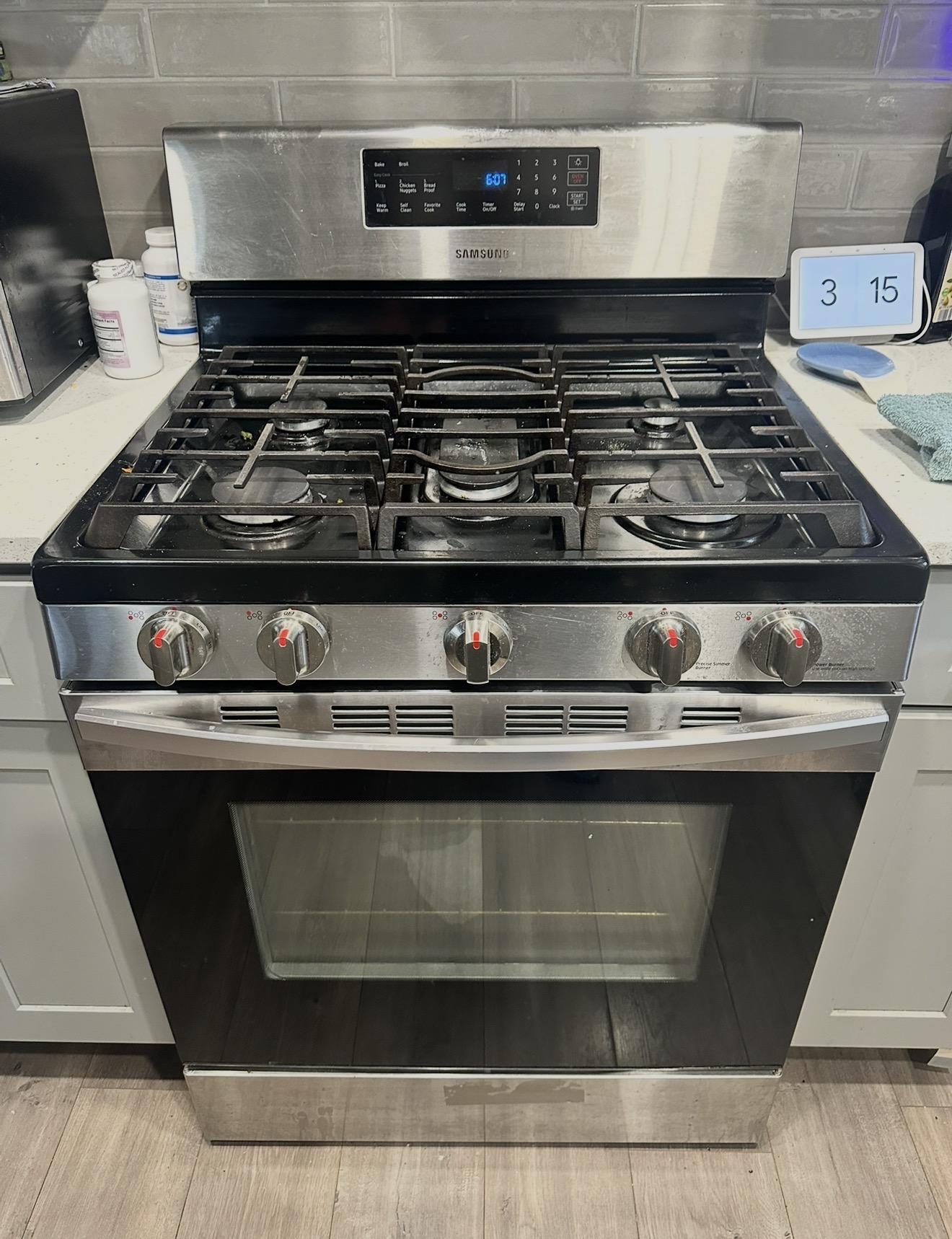
Pleasant Plains and Princes Bay homeowners have a unique problem when an oven stops working: which Samsung do you actually have? 10309 has Staten Island's most varied housing — 1970s ranches still on their second or third Samsung range, 2000s subdivisions with newer mid-decade installs, fresh 2015+ townhouses with smart-era NX58T models running SmartThings app integration. Three different Samsung generations live side-by-side in this ZIP. The diagnostic path is different for each.

Step one before anything else: find your model number. Open the oven door, look at the inside frame near the top or along the side. There's a small sticker with letters and digits like NX58T7511SS or NX58H5600SS. The first letter group tells you the generation:

Once you know which generation, the troubleshooting steps split. Premier Appliance Repair's flat $80 diagnostic covers the trip to your Pleasant Plains, Princes Bay, or 10309 Richmond Valley home and full on-site testing for whichever Samsung you have. Approve the repair and the $80 applies toward the total. Decline and you pay only the $80, no upsell.

Safety first — gas smell is not a DIY situation. If you smell gas (and not just a brief whiff when a burner first lights), turn off the range, open windows, do not flip any light switches, and call National Grid at 1-718-643-4050. They respond 24/7 free of charge and will shut off the supply if there's a leak. Only after the gas situation is safe, call us.

Modern Samsung NX58T: Smart-Feature Troubleshooting First

If your oven has a touchscreen panel (not buttons with an LCD display, but a smooth glass touchscreen that you swipe and tap), and SmartThings app integration, you have a smart-era Samsung. When something stops working, more than half the time the issue is software-side rather than hardware-side. Run these checks before assuming the appliance has a real failure:

(1) Touchscreen frozen or unresponsive. Press and hold the Power button for 10 seconds. If the screen darkens and reboots, that was the fix. Software hangs happen most commonly after a SmartThings app update, a firmware push, or a power flicker that did not fully reboot the panel.

(2) Wi-Fi disconnected, app won't see oven. First check whether your home Wi-Fi password changed recently — if you reset your router or upgraded ISP, the oven still has the old credentials. Open the SmartThings app on your phone, navigate to the oven, then to settings, and re-add the device with the new Wi-Fi password. Also try moving the router closer if the oven is at the edge of signal range — some 10309 homes with detached garages or finished basements have weak kitchen coverage.

(3) Phantom touch presses on capacitive panel. Smart-era Samsung touchscreens read fingertip capacitance, not button pressure. A wet cloth, condensation from a steaming pot below, or even a fingerprint smudge in the wrong spot can register as a press. Wipe the panel completely dry with a clean microfiber, do not use chemical cleaners on the touchscreen surface, and observe whether the phantom presses stop.

(4) Software update stuck. Samsung pushes firmware updates over Wi-Fi. If you see a progress indicator that has not advanced in 30+ minutes, power cycle the oven at the breaker for 5 minutes, then restore. The update usually resumes from where it stalled.

If the Smart Oven Software Checks Don't Solve It

When you've ruled out Wi-Fi, software, and panel cleanliness, the remaining issues on a modern Samsung NX58T are usually one of three things:

Touchscreen control panel hardware failure. The touchscreen itself can develop dead zones (a region of the screen stops responding) or full no-response. Replacement is more involved than a classic LCD panel because the smart-era touchscreen integrates Wi-Fi, Bluetooth, and the user interface in a single assembly. Same-visit repair if Badma has the part on the truck.

Wi-Fi communication board separately failed. Some smart-era models have the Wi-Fi/Bluetooth radio on a daughter board separate from the main control. If the oven works fine via the touchscreen but app integration is permanently dead, this is usually the cause.

Underneath the smart features, classic hardware — bake igniter, temperature sensor, gas valve. Smart-era ovens still have the same physical heating components as classic models. If the oven says "Bake 350°F started" via app and through the panel but never actually heats, you have a hardware failure that's no different from what we'd find on an NX58H.

Classic Samsung NX58H or Older: The Mechanical Diagnostic Path

If your oven has physical knobs and an LCD digital display (not a touchscreen), and it does not appear in any phone app, you have a classic-era Samsung. These run on physical sensors, mechanical switches, and a relay-based control board — no software complications. The failure modes are well-understood and the diagnosis is straightforward.

Won't heat? Run the bake igniter glow test. Set Bake 350°F, watch through the oven window with the oven light on. Within 30–60 seconds you should see a bright orange glow at the bottom of the cavity, followed by a blue flame igniting from the burner port. Glow visible but no flame = weak igniter, replacement needed (DG94-01012A on most NX58H models). No glow at all = dead igniter or relay fault on the control board. Standard same-visit repair.

Won't turn on? Check the breaker labeled Range or Oven, cycle it OFF for 30 seconds then ON. Verify the wall outlet has the plug seated firmly. Try a longer power cycle of 5 minutes. If the LCD display stays dark after these steps, the control board, ribbon cable, or internal power supply has failed.

Stuck at 150°F or 175°F preheat? Samsung shows "150°F" during the entire preheat — only updating once the oven exceeds 150°F. So a stuck-at-150°F display means the oven simply isn't heating. Run the bake igniter glow test. For "stuck at 175": check whether your panel is set to Celsius (175°C = 350°F, a common false alarm); if genuinely stuck at 175°F in Fahrenheit mode, the temperature sensor (DG32-00002B) is drifting and needs replacement.

Slow to preheat or not reaching temperature? Three common causes: weak bake igniter (run the glow test), worn door gasket (run finger around the seal — squishy or crusty in spots = past lifetime), drifting temperature sensor (verify with a $6 oven thermometer; off by more than 35°F = sensor needs replacement).

Why 10309 Has Both Generations Living Side by Side

Pleasant Plains was historically a farming community on the southern tip of Staten Island. Through the 1970s and 80s the area filled in with single-family ranches and split-levels — homes that have largely kept their original kitchens and replaced ovens once or twice over the decades. Princes Bay developed similarly, with newer subdivisions appearing in the 2000s along the harbor side. The 10309 portion of Richmond Valley extends west along the Arthur Kill toward Tottenville. Conference House Park and Wolfes Pond Park anchor the southern coastline.

Hylan Blvd, Page Ave, and Amboy Rd carry most local traffic. The mix of housing eras means a Samsung repair tech walking through 10309 in a single day might service a 2014 NX58H ranch on Page Ave at 9am, a 2021 NX58T smart oven in a new subdivision on Sharrott Ave at noon, and a classic-era NE-series electric in an older condo near Conference House Park at 3pm. Three different diagnostic approaches, three different sets of parts, all on the same truck.

Why We Don't Quote Prices Over the Phone

Especially in 10309 where the model generation matters so much: a smart-era touchscreen panel costs more than a classic-era LCD board, and a Wi-Fi communication board is a different price point than a bake igniter. We don't guess over the phone. The $80 on-site diagnostic includes model identification, full functional testing of whichever Samsung generation you have, and a written quote with the exact repair price before any work starts. Approve the repair and the $80 applies toward the total. Decline and you pay only the $80 and Badma leaves. Same approach across Pleasant Plains, Princes Bay, the 10309 portion of Richmond Valley, and adjacent South Shore subdivisions.
Why Choose Premier

Premier vs Samsung Service Center

Factor 🏢 Samsung Service 🔧 Premier Appliance
Arrival in Pleasant Plains ❌ 5–14 day wait ✅ Same-day
Free phone advice before a visit ❌ Queue & script ✓ Always
Diagnostic fee ❌ $100–150+ ✅ $80, applied
Price quoted before work starts ❌ Not always ✅ Always in writing
Warranty ❌ Varies ✅ 90-day guarantee
Weekend availability ❌ Weekdays only ✅ Mon–Sun

Honest, Transparent Pricing

What a Visit Costs

$0
Hidden Fees
No weekend charge. No trip fee. No surcharge for smart-era touchscreen models. Same flat diagnostic for any Samsung generation. Price quoted before work starts and locked in.
How the repair price is determined: After diagnosis, Badma gives you the exact price in writing. It depends on which part failed and your Samsung model — a bake igniter replacement, spark electrode, spark module, temperature sensor, door lock motor, and control board are all different repairs at different prices. We don't guess over the phone because two ranges with the same symptom can need different parts. You approve the price before any work starts. Every completed repair carries a 90-day parts and labor warranty.

Book Your Visit

Smart Samsung NX58T or Older NX58H Acting Up in Pleasant Plains?

Same-day diagnosis — $80 flat for either generation. Badma identifies your model on-site and gives the exact price before starting. Covers Hylan Blvd, Page Ave, Sharrott Ave, and all of ZIP 10309.

📅 Book Online Now 📞 (929) 261-4444

Samsung Oven Error Codes & Display Diagnostics

Samsung Display Codes — Modern Smart Era vs Classic Era

10309 has both generations of Samsung in service. Smart-era NX58T models in newer subdivisions throw codes that often point to software or Wi-Fi rather than hardware. Classic NX58H or older models throw codes that almost always point to physical components. Same code can mean different things on different generations — read both interpretations below.

E-08 / E08 Oven Failed to Reach Set Temperature

E-08 means the oven could not hit your target temperature inside the time window the control expects. The fix path depends on which Samsung you own.

Smart-era NX58T: first verify the oven actually started heating — check the SmartThings app to see whether the bake cycle reports running. If yes, run the bake igniter glow test (set Bake 350°F, watch through the oven window for orange glow within 30–60 seconds). If no glow, igniter is the problem. If the app shows the cycle never started, software hung — power cycle 5 minutes and try again.

Classic NX58H or older: straight to the bake igniter test. Glow but no flame = weak igniter, replacement (DG94-01012A). No glow = dead igniter or relay fault on the control board.

  1. Cancel the cycle. Wait 15 minutes for full cool-down.
  2. Restart Bake 350°F. Watch through the window.
  3. Within 30–60 seconds the orange glow should appear, followed by blue flame ignition.
  4. For smart-era ovens, also check that SmartThings shows the cycle as running.

Same-visit repair on most cases. Call (929) 261-4444 →

C-d0 / C-D0 Touch Panel Phantom Press

C-d0 indicates the control sees a touch button as continuously held down. The cause differs between generations.

Smart-era NX58T capacitive touchscreen: moisture, fingerprints, or condensation from a steaming pot below the panel can register as touch input. Wipe the entire panel completely dry with a clean microfiber. Do not use chemical cleaners on the touchscreen.

Classic NX58H membrane button panel: spilled food, baked-on grease, or trapped moisture under a button. Damp microfiber across the panel.

  1. Identify your panel type — touchscreen (smart) or pressed buttons (classic).
  2. Clean appropriately for the type.
  3. Cut breaker power 5–10 minutes; restore.
  4. Test cycle.

Persistent C-d0 after cleaning and a power cycle = panel hardware needs replacement. Smart-era touchscreens are more expensive than classic membrane panels but the labor is similar. Call (929) 261-4444 →

C-d1 / C-D1 Touch or Lock Circuit Short

C-d1 means the control sees a short in either the touch panel circuit or the door lock circuit. Identical symptoms across generations, but the components are different parts.

  1. Power off via breaker for 10 minutes; restore.
  2. Open the door; visually inspect the lock motor area for damage or stuck mechanism.
  3. Verify door closes fully and squarely.
  4. If C-d1 keeps coming back, lock motor or panel needs replacement.

On smart-era models, the touch panel and Wi-Fi board are sometimes integrated, which affects the repair price. Badma identifies which on-site. Call (929) 261-4444 →

C-20 / C-21 Sensor Out of Range

C-20 indicates the oven temperature sensor — a thermistor probe inside the cavity — is reporting a value the control rejects. C-21 is the more serious over-temperature warning.

The sensor itself is the same physical part across both generations (DG32-00002B fits classic and smart-era NX58 models). The difference: on smart-era ovens, sensor faults sometimes also trigger SmartThings notifications to your phone. If you got an email or app alert about your oven, screenshot it before calling — it helps narrow the diagnosis.

  1. Power off via breaker, wait 5 minutes, restore.
  2. If C-20 returns immediately on power-up before any heating, the sensor or its harness is at fault.
  3. If C-21 is showing, leave the oven off and call us. Over-temperature condition needs investigation before any further use.

Same-visit repair on either generation. Call (929) 261-4444 →

C-F0 / CF0 Boards Lost Communication

C-F0 means the main control board and the display board have lost their internal connection. On classic-era Samsung this is almost always a degraded ribbon cable. On smart-era Samsung this can also mean the Wi-Fi/Bluetooth daughter board has lost sync with the main control.

  1. Breaker OFF for a full 10 minutes.
  2. Restore. Wait 2 minutes before pressing anything.
  3. For smart-era: also check SmartThings — if the app shows the oven offline, that confirms the issue is upstream of just the display.
  4. Run a test cycle.

Recurring C-F0 on classic models means ribbon cable reseat or relay board (DG92-01084E) replacement. On smart-era models the fix sometimes requires the Wi-Fi communication board specifically. Call (929) 261-4444 →

LE Door Locked, Will Not Release

LE shows when the door lock motor is engaged but cannot return to unlocked. Self-clean cycles trigger the lock; sometimes it fails to release after cool-down.

Behavior is identical across generations, but the diagnosis on smart-era models can include checking the SmartThings app — sometimes the app reports "lock active" status which confirms the motor is the failure point.

  1. Wait fully — minimum 2 hours from end of self-clean. Lock will not release until cavity drops below ~200°F internal.
  2. After cool-down, breaker OFF 10 minutes, then ON.
  3. If still locked, the lock motor needs replacement.

Standard same-visit repair. Call (929) 261-4444 →

C-F2 / CF2 Convection Fan Motor Issue

C-F2 means the convection fan motor is not turning when convection mode requires it. The fan motor itself is the same part on classic and smart-era NX58 ovens — same diagnosis path.

  1. Switch to a non-convection bake mode — works? Then the fault is fan-isolated.
  2. Listen for grinding or whining from behind the range during convection.
  3. Power cycle 5 minutes.

Convection fan motor replacement is a standard same-visit repair on both generations. Call (929) 261-4444 →

No Code No Display Code, but Oven Will Not Work

The oven simply will not heat or turn on, and the display shows no code at all. The likely causes split sharply between generations.

Smart-era NX58T silent failure: first thing to check is whether the oven thinks it is in a different mode than you expect. Open SmartThings app, look at oven status — sometimes a remote command from the app, a child lock, or sleep mode is keeping the oven idle even though the touchscreen shows the home screen.

Classic-era NX58H silent failure: usually means a component has gone fully open-circuit (sensor or igniter completely dead, not just out-of-range), and the control board has nothing to flag. Multimeter diagnosis on-site.

  1. Demo mode. Display shows "d" or "tESt" — common after a power surge. Hold Options to exit.
  2. Door not fully closed. Reseat all racks back; close door firmly.
  3. Breaker tripped. Cycle the Range/Oven breaker fully OFF for 30 seconds, then ON.
  4. For smart models: check the SmartThings app for any active mode that might be suppressing operation.

If none of those resolve it, multimeter on-site finds the silent failure regardless of generation. Call (929) 261-4444 →

Common Samsung Oven Problems — Pleasant Plains 10309

Modern Smart Oven or Classic Oven Issues — Both Diagnosed in 10309

Samsung NX58T touchscreen frozen or unresponsive (smart era)

If you have a Samsung smart-era oven (touchscreen panel, SmartThings app integration), software hangs are the most common complaint we get from new-subdivision Pleasant Plains and Princes Bay homes. Try this before assuming hardware failure:

  1. Press and hold the Power button for 10 seconds. If the screen darkens and reboots, software hang was the issue.
  2. Cut breaker power for 5 minutes; restore. Forces a full cold reboot.
  3. Check the SmartThings app — does the oven show as online and responsive there?
  4. If you recently updated the SmartThings app or got a Samsung firmware push notification, the freeze may be related — wait 30 minutes for any background update to finish.

Persistent freezes mean the touchscreen panel hardware needs replacement (same-visit repair, but the part is more expensive than a classic-era LCD board). Call (929) 261-4444 →

Samsung smart oven Wi-Fi disconnected — won't connect to SmartThings

Common when home Wi-Fi setup changes (new router, password reset, ISP upgrade). The oven still has the old credentials and cannot reconnect.

  1. Open SmartThings app on your phone. Navigate to the oven.
  2. Go to settings > device management. Look for "remove device" or "re-add device."
  3. Re-add the oven with current Wi-Fi network and password.
  4. If the oven won't accept new credentials, check whether your kitchen has weak Wi-Fi coverage — some Pleasant Plains homes with detached garages or long lots have signal drop at the kitchen.

If re-adding fails after multiple attempts, the Wi-Fi communication board on the oven has likely failed and needs replacement. Same-visit repair. Call (929) 261-4444 →

Samsung classic oven won't heat — classic-era diagnosis (NX58H, NX58F, NX58J, NX58K)

If you have a classic-era oven with physical knobs and an LCD display (no touchscreen), the diagnosis is straightforward:

  1. Demo mode is on. Display shows "d", "tESt", or "DEMO". Cooktop works on gas ranges but oven does not heat. Hold Options to exit.
  2. Door not closed. Reseat all racks back, close door firmly.
  3. Breaker tripped. Cycle Range/Oven breaker OFF for 30 seconds, then ON.
  4. Run the bake igniter glow test. Set Bake 350°F. Within 30–60 seconds you should see orange glow at the bottom, followed by blue flame. Glow without flame = weak igniter, replacement (DG94-01012A).

Classic-era ovens have predictable failure modes. Standard same-visit repair. Call (929) 261-4444 →

Don't know which Samsung generation you own?

The diagnostic path differs sharply between generations. Find your model number first:

  1. Open the oven door fully.
  2. Look on the inside frame — top of the cavity opening, or along one side.
  3. There's a small sticker with letters and numbers like NX58T7511SS or NX58H5600SS.
  4. Letter codes after NX58: T or NX60T = smart era (2019+), R or M = late mechanical (2017–2019), H, F, J, K = classic mechanical (2013–2017).

Tell Badma the model number when you call — it determines which parts and which diagnostic approach to bring. Call (929) 261-4444 →

Samsung oven won't turn on — display dark

Different from "won't heat" — here the controls are dead too. Even gas ovens need 120V electricity for the display, controls, and igniter. Identical first steps for both modern and classic generations.

  1. Check the breaker labeled "Range" or "Oven." Flip OFF for 30 seconds, then ON.
  2. Pull the range out and reseat the wall plug.
  3. Try a longer power cycle: breaker OFF for 5 minutes, then ON. Important for smart-era ovens because aged firmware can take longer to reset.
  4. For smart-era only: also try opening SmartThings app — sometimes the oven is online to the app even though the touchscreen looks dark, which narrows the diagnosis.

If display still won't power up, control board has failed. Call (929) 261-4444 →

Samsung oven takes too long to preheat (either generation)

Same root causes regardless of generation. Modern smart ovens are more likely to send a SmartThings notification about it, but the underlying physical problem is the same.

  1. Worn door gasket. Run a finger around the seal. Squishy or crusty in spots = past lifetime. Replace.
  2. Weak bake igniter. Even when it lights the burner, a weak igniter cycles the gas valve open inefficiently.
  3. Drifting temperature sensor. Buy a $6 oven thermometer; off by more than 35°F = sensor needs replacement.

On smart-era ovens, calibration can sometimes be done through the SmartThings app — Badma checks both options on-site. Call (929) 261-4444 →

I smell gas near the range — what should I do first?

Do not try to fix this yourself. Turn off the range. Open windows. Don't flip any light switches or use lighters.

  1. Call National Grid 24-hour gas emergency line: 1-718-643-4050. They come free and shut off supply if there is a leak.
  2. Stay out of the kitchen until they arrive.
  3. Once the gas situation is safe and National Grid clears the area, call us at (929) 261-4444 to repair the range component that caused the issue.

We do not service live gas leaks — that is utility-company work. Once the gas is safe, we fix the appliance — modern smart or classic mechanical, doesn't matter. Call (929) 261-4444 →

Your Technician

About Badma

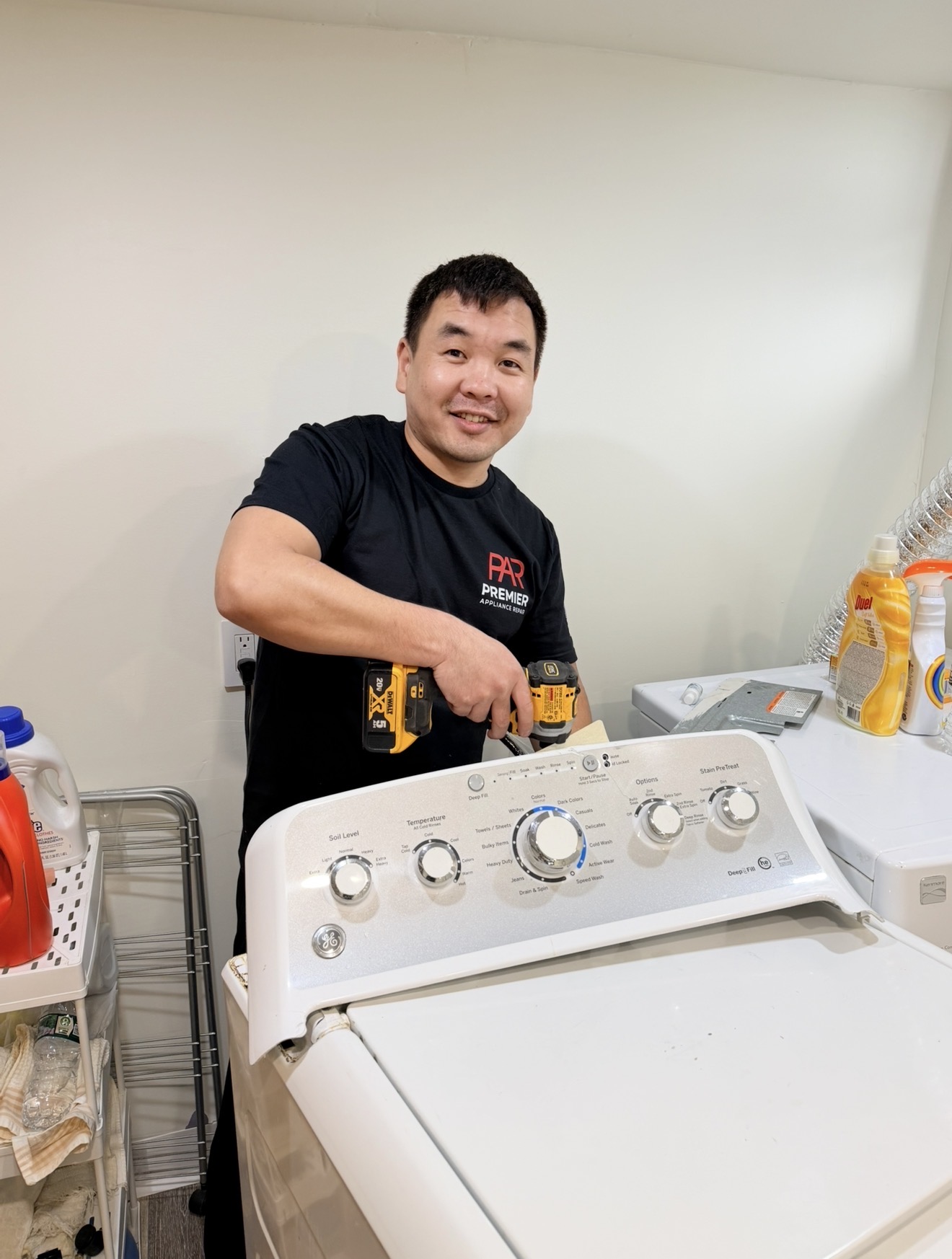
Badma — owner and technician, Premier Appliance Repair Inc
Badma Owner & Technician · Premier Appliance Repair Inc
  • 🔧
    4+ Years Repairing Samsung Gas & Electric Ranges Across Staten Island Gas ranges, electric ranges, slide-ins, wall ovens — all Samsung models
  • 👤
    Every Repair, Personally Badma handles the diagnosis, sources the parts, and does the repair himself — no subcontractors
  • 💰
    $80 Flat Diagnostic — Exact Price After No phone guesses, no surprise fees. Written quote before any work starts.
  • 🛡️
    90-Day Parts & Labor Warranty On every completed repair — backed by Badma directly

The Repair Process

How a Samsung Oven Repair Visit Works

1

Call or Book — Share Your Model and Symptom

Call (929) 261-4444 or book online. Share your Samsung range model number (on the label inside the door frame) and a short description of what's happening — the error code, whether the burner clicks, whether you saw the igniter glow. Badma often has specific troubleshooting to try on the phone before scheduling, and some issues get solved in 5 minutes at no cost.

📅 7 Days a Week
2

On-Site Diagnosis — $80 Flat

Badma arrives, inspects the range, and tests the relevant components — bake igniter, spark module, spark electrode, temperature sensor, door lock motor, control board, wiring — to identify exactly what has failed. The $80 covers the visit and the diagnosis regardless of how long it takes.

3

Written Quote — Exact Price Before Any Work

You get the exact repair price in writing — the specific part, its cost, and the labor. If you approve, the $80 diagnostic applies toward the total. If you decide not to proceed, you pay only the $80 and Badma leaves. No pressure, no upsell.

4

Repair Done — Same Visit When Part Is On Truck

Most common Samsung gas range parts — bake igniters, spark electrodes, temperature sensors, door lock motors, common control boards — are on Badma's truck. Special-order parts are ordered and installed on a second visit, typically 1–3 business days. Every completed repair carries a 90-day parts and labor warranty.

🛡️ 90-Day Warranty

Serving Pleasant Plains & the 10309 South Shore

Pleasant Plains — ZIP 10309

Samsung gas range and smart oven repair in Pleasant Plains, Princes Bay, Richmond Valley Staten Island 10309

Pleasant Plains anchors the southern tip of Staten Island near Conference House Park, with Princes Bay running along the harbor side toward Wolfes Pond Park, and the 10309 portion of Richmond Valley extending west along the Arthur Kill. The neighborhood's mix of housing eras is the most varied of any Staten Island ZIP — historic Pleasant Plains was farmland through the early 20th century, then filled with single-family ranches in the 1960s–70s, then split-levels in the 1980s, then newer subdivisions and townhouses in the 2000s and 2010s along Sharrott Ave, Drumgoole Rd, and the harbor side. The result is that within a five-block radius you'll find a 1972 ranch with the original kitchen running a classic Samsung NX58H next door to a 2018 subdivision home with a smart-era NX58T tied into a SmartThings home automation setup. Hylan Blvd carries the main local traffic with Page Ave handling the SIRT terminal area; Amboy Rd connects through to Tottenville. Conference House Park offers the historical anchor at the southern tip. Badma covers the full area same-day: Hylan Blvd, Page Ave, Sharrott Ave, Amboy Rd, Drumgoole Rd, Bloomingdale Rd, Lenevar Ave, Foster Rd, and throughout Pleasant Plains, Princes Bay, the 10309 portion of Richmond Valley, and adjacent South Shore subdivisions.
📍 Pleasant Plains 📍 Princes Bay 📍 Richmond Valley (10309) 📍 Hylan Blvd 📍 Page Ave 📍 Sharrott Ave 📍 Amboy Rd 📍 Drumgoole Rd 📍 Bloomingdale Rd 📍 Conference House Park 📍 Wolfes Pond Park 📍 Foster Rd

What Pleasant Plains & Princes Bay
homeowners say.

★★★★★

Loading live reviews from Google…

PR
Premier Appliance Repair
5.0 · Google Reviews
View all reviews on Google

Connect With Us

Find Premier Appliance Repair

Frequently Asked Questions

Samsung Oven Questions — Pleasant Plains 10309

How do I know if I have a smart Samsung oven or a classic one?

Find the model number sticker — open the oven door, look on the inside frame near the top or along one side. The letter code after NX58 tells you the generation. NX58T or NX60T = Samsung smart era (2019 to present, Wi-Fi capable, SmartThings integration, full touchscreen panel). NX58R or NX58M = late mechanical / early hybrid (2017 to 2019, LCD displays with some Wi-Fi). NX58H, NX58F, NX58J, NX58K = classic mechanical era (2013 to 2017, knobs and digital displays, no smart features). The repair approach differs significantly between these. Tell Badma your model number when you call — it determines which parts to bring.

Why won't my Samsung NX58T smart oven respond to the touchscreen?

Software hangs are the most common smart-era complaint. Try these steps before assuming hardware failure: (1) Press and hold the Power button for 10 seconds — if the screen darkens and reboots, software hang was the issue. (2) Cut breaker power for 5 minutes, then restore — forces a full cold reboot. (3) Check the SmartThings app — if the oven shows online there, the panel is the only frozen part. (4) Wait 30 minutes if you recently updated the SmartThings app or got a Samsung firmware push notification — background updates can lock the panel. If the touchscreen stays unresponsive after all of these, the panel hardware needs replacement.

Why won't my Samsung smart oven connect to Wi-Fi or SmartThings?

Most common cause: home Wi-Fi credentials changed and the oven still has the old password. Open SmartThings on your phone, navigate to the oven, go to settings, and re-add the device with current network credentials. If re-adding fails: check whether kitchen Wi-Fi coverage is weak — some Pleasant Plains homes with detached garages or long lots have signal drop at the kitchen. Try moving the router temporarily closer or adding a mesh node. If multiple add attempts fail with strong signal, the Wi-Fi communication board on the oven has failed and needs replacement.

Why won't my classic Samsung oven heat?

On classic-era Samsung gas ovens (NX58H, NX58F, NX58J, NX58K — physical knobs and LCD display, no touchscreen), the most common cause is a weak bake igniter. Test: set Bake 350°F and watch through the oven window. Within 30 to 60 seconds you should see an orange glow at the bottom of the cavity, followed by a blue flame igniting from the burner port. Glow visible but no flame after a full minute = weak igniter, replacement needed (DG94-01012A on most NX58H models). Other quick checks: make sure Demo mode is not on (display shows "d" or "tESt"), the door is fully closed, and the breaker is not tripped.

Why does my Samsung smart oven get phantom touch presses?

Smart-era Samsung touchscreens read fingertip capacitance, not button pressure. A wet cloth, condensation from a steaming pot below the panel, or even a fingerprint smudge in the wrong location can register as a press. Steps: wipe the entire touchscreen completely dry with a clean microfiber cloth, do not use chemical cleaners directly on the touchscreen surface (some cleaners leave conductive residue), keep the area below the panel ventilated to prevent steam condensation. If phantom presses continue after the panel is verified clean and dry, the touchscreen panel hardware has developed dead zones or false-touch areas and needs replacement.

Why won't my Samsung oven turn on at all?

Different from "won't heat" — here the controls are dead too. Three steps for any Samsung generation: (1) Check the breaker labeled "Range" or "Oven." Flip OFF for 30 seconds, then ON. (2) Verify the wall outlet — over years the plug behind the range can vibrate loose. (3) Try a longer power cycle: breaker OFF for 5 minutes, then ON. Important for smart-era ovens because aged firmware can take longer to fully reset. If display still won't power up, the control board has failed. For smart-era only: also try opening SmartThings app — sometimes the oven is online to the app even though the touchscreen looks dark.

Why does my Samsung oven take too long to preheat?

Same root causes regardless of which Samsung generation you have. Three common causes: (1) Worn door gasket — run a finger around the seal, squishy or crusty in spots means past lifetime, replacement needed. (2) Weak bake igniter — even when it lights the burner, a weak igniter cycles the gas valve open inefficiently, slowing preheat. (3) Drifting temperature sensor (DG32-00002B). Buy a $6 oven thermometer and check actual vs displayed temperature. Off by more than 35°F means sensor replacement needed. On smart-era ovens, calibration can sometimes be done through the SmartThings app — Badma checks both options on-site.

Should I replace a smart Samsung oven control panel or the whole oven?

Touchscreen control panel replacement on a smart-era Samsung is significantly more expensive than a classic-era LCD board because the panel often integrates Wi-Fi, Bluetooth, and the user interface in a single assembly. The repair-vs-replace decision depends on the oven's age and what else is close to failing. On a 4-year-old smart oven where only the touchscreen has died, replacement is almost always the right choice. On a 10-year-old smart oven needing both touchscreen and other components, replacement may make more sense. Badma gives you the math on-site with the specific repair quote for your model. You decide. We don't push repairs that don't make economic sense.

How much does Samsung smart oven repair cost in Pleasant Plains?

The diagnostic is $80 flat regardless of which Samsung generation you have. Covers the trip to your Pleasant Plains, Princes Bay, or 10309 Richmond Valley home, model identification, full on-site testing, and a written quote with the exact repair price. After diagnosis, the repair price varies considerably between generations: a smart-era touchscreen panel costs more than a classic-era LCD board, a Wi-Fi communication board is a different price point than a bake igniter. We don't quote over the phone because parts and labor differ widely. You get the exact price in writing before any work starts. If you approve, the $80 applies toward the total. If not, you pay only the $80 and Badma leaves.

Do you service all of Pleasant Plains, Princes Bay, and the 10309 South Shore?

Yes — the full 10309 ZIP. Pleasant Plains along Hylan Blvd and Sharrott Ave through the older ranch neighborhoods. Princes Bay along the harbor side and the newer subdivisions. The 10309 portion of Richmond Valley extending west toward the Arthur Kill. Adjacent South Shore subdivisions and pockets near Conference House Park and Wolfes Pond Park. Same-day service 7 days a week: Mon–Sat 8am–7pm, Sun 9am–5pm. Same diagnostic price for any Samsung generation. Badma stocks parts for both modern smart-era and classic mechanical Samsung ovens because 10309 has both.

Ready to Fix It

Smart NX58T Frozen or Older NX58H Down? We Service Both in Pleasant Plains

Same-day service across ZIP 10309. $80 diagnostic, exact repair price after we identify your model and see the problem, 90-day warranty on every completed repair.

Taking appointments today
📅 Book a Same-Day Visit 📞 Call (929) 261-4444