Samsung gas range repair across Staten Island NY — Premier Appliance Repair

Samsung Oven Not Heating?
Same-day repair · Staten Island

Oven won't heat · Won't turn on · Stuck on preheat · Igniter glows but no flame · Burner won't ignite · Error codes — same-day Samsung gas and electric range repair across all 10 Staten Island ZIPs

Available Today · 5 appointments across Staten Island
📅 Book a Same-Day Visit 📞 Call (929) 261-4444

$80 diagnostic · Exact repair price after diagnosis · 90-day warranty

5.0 Google 75+ verified reviews
Licensed & Insured 4+ years experience
90-Day Warranty Parts & labor
Same-Day Service 7 Days a Week

GET A CALLBACK

Tell us what's wrong —
we call back in 15 min

Describe the problem — Badma will call to confirm the likely fix and same-day availability anywhere in Staten Island.

★★★★★ 75+ Staten Island homeowners trust us on Google
✅ Got it! Badma will call you back within 15 minutes.
⚠️ Something went wrong. Please call (929) 261-4444.
5.0 Google rating across 75+ reviews
$80 Flat diagnostic — applied toward your repair
90d Warranty on every completed repair — parts & labor
10 ZIPs Full Staten Island coverage — North Shore to South Shore

Samsung Oven Repair — Staten Island

Why Won't My Samsung Oven Heat? Here's What to Try Before You Call

📍 All Staten Island · 10301–10314

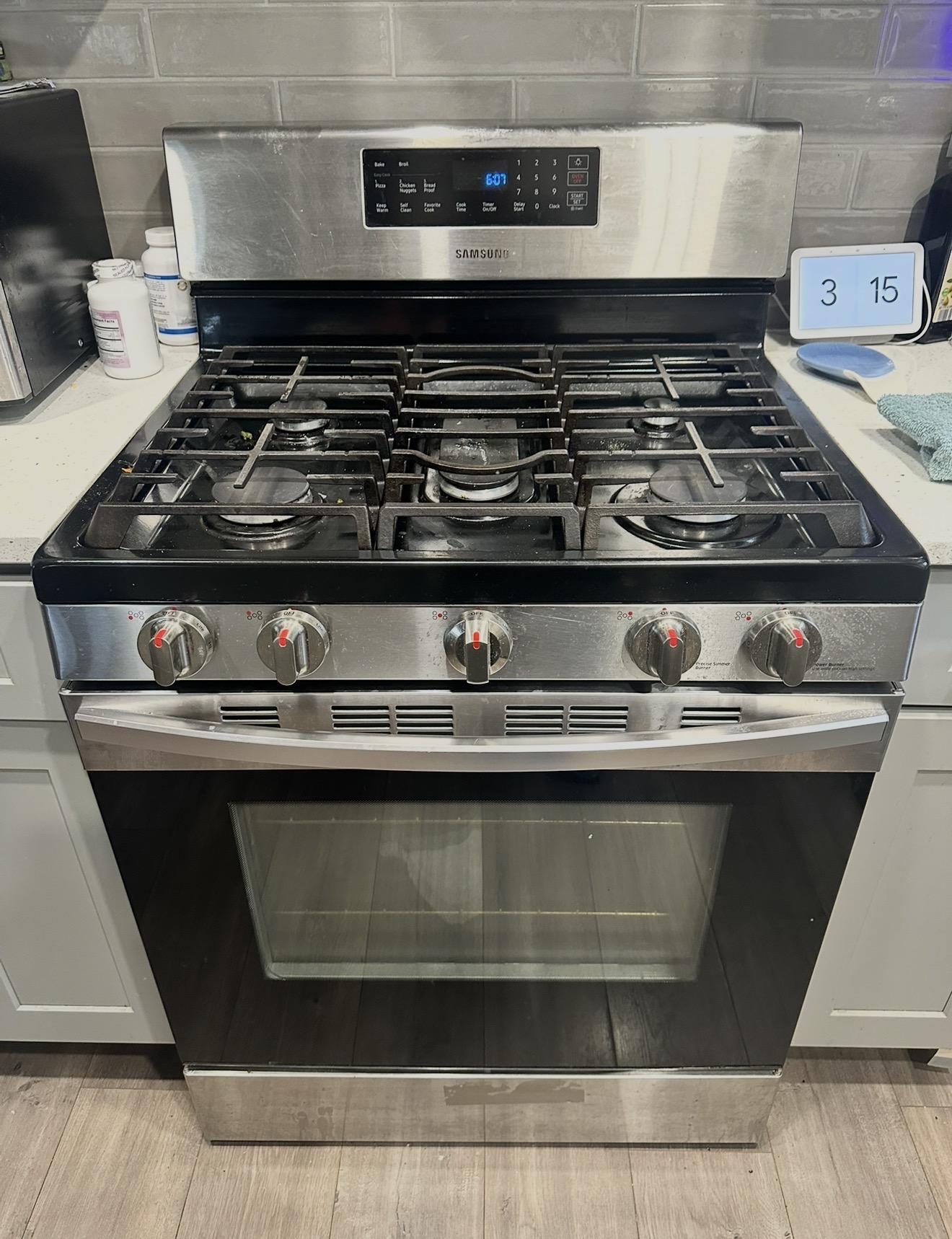
"My Samsung oven won't heat." "My oven won't turn on." "Oven stuck at 150°F preheat — never goes higher." These are the three calls we hear most across Staten Island, from Silver Lake to Tottenville. Samsung gas ranges — especially the NX58 series — are in a huge number of Staten Island kitchens. Natural gas is standard in nearly every home across the borough, from the pre-war houses on the North Shore through the postwar Cape Cods of New Dorp and Great Kills, all the way down to Tottenville and Pleasant Plains on the South Shore. Samsung was one of the most popular brands during the wave of kitchen renovations across Staten Island over the past decade, which means a lot of NX58 ranges are now hitting the age where the most common parts — bake igniter, spark electrode, temperature sensor — start to wear out.

The good news: many "Samsung oven not heating" complaints have simple fixes you can try yourself in five minutes. We'll walk through the common ones below — including a couple of "fixes" most people don't realize exist (Demo mode, the door auto-shutoff). If the simple checks don't solve it, that's when you call us. Premier Appliance Repair charges a flat $80 diagnostic to come out anywhere in Staten Island — same price for every ZIP, North Shore to South Shore, no zone surcharge. Badma diagnoses on-site and gives you the exact repair price in writing before starting. If you approve, the $80 applies toward the repair. If you don't, you pay only the $80. Final price depends on which part failed and your Samsung model — we don't guess over the phone because two ranges with the same symptom can need different parts.

Safety first — gas smell is not a DIY situation. If you smell gas (and not just a brief whiff when a burner first lights), turn off the range, open windows, do not flip any light switches, and call National Grid at 1-718-643-4050. They respond 24/7 free of charge and will shut off the supply if there's a leak. Only after the gas situation is safe, call us for the range repair.

Samsung Oven Won't Heat — Check These Three Things First (No Tools Needed)

Before assuming a part has failed, rule out three common "false alarms" that we see all the time:

1. Demo mode is on. If your range was a floor model or recently moved/installed, it might be in Demo mode — designed for showrooms. The display will show "d", "D", "tESt" (or "tE 5t"), or "DEMO". In Demo mode, the cooktop on a gas range still works (igniters spark) but the oven will not heat at all. To exit Demo mode on most NX58 models, hold the Options button and follow the prompt in the user manual for your specific model. This fixes thousands of "Samsung oven won't heat" calls every year — try it before anything else.

2. The door wasn't fully closed. Samsung ovens have a safety feature: if the door is left open for more than about a minute, the oven shuts off automatically and you have to start over. If the oven seemed to start, then went cold, this is the likely culprit. Make sure the door is fully closed — sometimes an oven rack edge or a pan handle catches the door and leaves a small gap.

3. The breaker tripped. Even gas ovens need 120V electricity for the controls and igniter. If the display is dark or the oven won't turn on at all, check the breaker labeled "Range" or "Oven" in your electrical panel. Flip it OFF for 30 seconds, then ON. This also resets the control board and clears many soft glitches.

Samsung Gas Oven Won't Heat — Igniter Glows but No Flame (The #1 Cause)

If you've ruled out Demo mode, the door, and power, the most common Samsung gas oven problem is a weakening bake igniter. Samsung's official guidance: if your bake burner takes longer than 90 seconds to ignite, the igniter is too weak and needs replacement. Here's the test: set the oven to Bake 350°F and watch through the window with the oven light on.

Within 30 to 60 seconds, you should see a bright orange glow at the bottom of the oven (the bake igniter), followed shortly by a blue flame from the burner behind it. Three outcomes:

(a) You see the igniter glow, but no flame ever lights — even after a full minute of glowing. This is the #1 Samsung gas oven failure. The igniter has weakened with age. It still glows, but no longer pulls enough current to open the gas safety valve, so no gas flows. The igniter (part DG94-01012A on most NX58 models, with variations like DG94-00520A and DE92-02588J on others) needs replacement. Standard same-visit repair, Badma carries common igniters on the truck.

(b) Glow appears but takes more than 90 seconds. Samsung itself states this is a sign of a weak igniter. It might still light eventually, but expect the oven to fail completely within weeks. Replace the igniter now to avoid worse problems.

(c) No glow at all, ever. The igniter is completely dead, has lost continuity, or the wiring/control board relay that powers it has failed. Multimeter test: a healthy Samsung oven igniter reads between 10 and 2,500 ohms; an open circuit (infinite reading) confirms the igniter is dead.

Samsung Oven Stuck at 150°F or 175°F — Won't Preheat Higher

This is a very specific complaint with a specific cause set. The display shows 150°F (Samsung's preheat starting display) and never increments — or it crawls up to 175°F (about 80°C, which is what shows if the unit was accidentally set to Celsius) and stops. Things to check:

1. Celsius vs Fahrenheit. 175°C = 350°F. If your panel is set to Celsius, what looks like "won't go past 175" is actually the oven correctly hitting 350°F. Check your manual for the F/C toggle.

2. Stuck at 150°F display. Samsung shows "150°F" during the entire preheat, only updating once the oven exceeds 150°F. So if the display is stuck at 150°F, the oven is not heating — same root causes as above (Demo mode, door, weak igniter, dead igniter). Run the bake igniter glow test above.

3. Temperature sensor drift. If the oven heats but stops at the wrong temperature, the oven temperature sensor (DG32-00002B on most NX58 models) is drifting. The control board reads false data and shuts off heat early. Sensor replacement is a same-visit repair.

Samsung Oven Won't Turn On at All — Display Dark or No Response

Different problem from "won't heat." If the display is completely dark or buttons don't respond:

Step 1: Confirm power. Check the circuit breaker labeled "Range" or "Oven" — even half-tripped breakers cause weird symptoms. Cycle it OFF for 30 seconds, then ON.
Step 2: Check the outlet. The plug behind the range can vibrate loose over years. With the breaker off, push the range away from the wall and verify the plug is fully seated.
Step 3: Power cycle for a full 5 minutes. Sometimes the control board is stuck and a long power cycle clears it.

If the display still won't power up after these steps, the control board, ribbon cable to the display, or internal power supply has failed. Same-visit repair in most cases.

Samsung Oven Takes Too Long to Preheat / Not Reaching Temperature

If the oven heats but takes 25–30 minutes to reach 350°F, or food isn't cooking right, two likely causes:

(1) Weak bake igniter. Even if it eventually lights the burner, a weak igniter cycles the gas valve open later and shorter than it should — so the oven preheats slowly and may swing in temperature during baking. Run the glow test described above.
(2) Door seal worn out. Open the door and inspect the gasket around the oven opening. If torn, compressed flat, or missing in spots, heat is escaping. Replacement gasket — standard repair.
(3) Sensor drift. Buy a $6 oven thermometer at any hardware store and verify actual oven temperature versus what the display shows. A 35°F+ difference means the sensor needs replacement.

Surface Burner Clicks but Won't Light — Most Common Issue, Often a 10-Minute DIY Fix

Different from oven issues — this is the cooktop. Almost always a cleaning fix, not a part. Let the burner cool, lift off the grate, the burner cap (round black piece on top), and the burner head (metal piece with holes around the edge). Clean the small holes with a pin or toothpick — trapped food and grease block gas flow. Wash with warm soapy water, rinse, and dry completely — moisture in the burner is the second most common cause. Reassemble with the cap flat and centered. If the burner still clicks without lighting, the spark electrode (small ceramic piece next to the burner) is cracked or worn, or the spark module behind the panel has weakened. Standard parts, same-visit replacement.

Why We Don't Quote Prices Over the Phone

A lot of shops quote a price on the phone and change it when they arrive. We don't. Two Samsung gas ovens with "won't heat" can need different parts: a weak igniter, a dead temperature sensor, a relay on the control board, or wiring damage. The only way to know is to test it on-site. You pay $80 for the diagnosis. You get the exact repair price in writing. You decide whether to proceed. If yes, the $80 is credited toward the repair. If no, you pay the $80 and we leave. Same deal, every customer, every Staten Island ZIP from Silver Lake to Eltingville.

Samsung Electric Ovens — We Service Those Too

Although nearly every kitchen on Staten Island runs on natural gas, Samsung also makes electric ranges (NE58, NE59, NE63 series) and they show up occasionally — typically in apartments or homes with older 240V wiring left in place. If you have an electric Samsung range with a bake element, temperature sensor, or control board issue, we service those the same way — $80 diagnostic, exact price after, 90-day warranty. Common cause of "Samsung electric oven won't heat": a bake element that cracked during a self-clean cycle. Visible blister, burn spot, or break in the element through the oven window confirms it.
Why Choose Premier

Premier vs Samsung Service Center

Factor 🏢 Samsung Service 🔧 Premier Appliance
Arrival on Staten Island ❌ 5–14 day wait ✅ Same-day
Free phone advice before a visit ❌ Queue & script ✓ Always
Diagnostic fee ❌ $100–150+ ✅ $80, applied
Price quoted before work starts ❌ Not always ✅ Always in writing
Warranty ❌ Varies ✅ 90-day guarantee
Weekend availability ❌ Weekdays only ✅ Mon–Sun

Honest, Transparent Pricing

What a Visit Costs

$0
Hidden Fees
No weekend charge. No trip fee. No fuel surcharge. No North Shore vs South Shore zone pricing. Price quoted before work starts and locked in.
How the repair price is determined: After diagnosis, Badma gives you the exact price in writing. It depends on which part failed and your Samsung model — a bake igniter replacement, spark electrode, spark module, temperature sensor, door lock motor, and control board are all different repairs at different prices. We don't guess over the phone because two ranges with the same symptom can need different parts. You approve the price before any work starts. Every completed repair carries a 90-day parts and labor warranty.

Book Your Visit

Samsung Oven Won't Heat or Won't Turn On Anywhere in Staten Island?

Same-day diagnosis — $80 flat, exact repair price after we see the problem. Badma covers all 10 Staten Island ZIPs from Silver Lake to Tottenville.

📅 Book Online Now 📞 (929) 261-4444

Samsung Gas Range Error Codes

What Your Display Is Telling You — and What to Try First

E-08 / E08 Oven Not Heating — Bake Igniter

On Samsung gas ranges, E-08 means the oven didn't reach the set temperature in the expected time. The #1 cause is a weakening bake igniter — it still glows, but not hot enough to open the gas safety valve. Common on Samsung gas ovens 3+ years old.

  1. Cancel the cycle, let the oven cool for 15 minutes, then try Bake 350°F again.
  2. Watch through the window for 2 minutes — you should see a bright orange glow at the bottom (the igniter), followed by a blue flame.
  3. If you see glow but no flame: weak igniter, needs replacement.
  4. If no glow at all: dead igniter, broken wiring, or control board relay fault.
  5. Power cycle at the breaker for 10 minutes and try once more — rules out a temporary glitch.

Bake igniter (DG94-01012A on most NX58 models) is a standard Samsung gas range repair. Badma carries this part. Call (929) 261-4444 →

C-d0 / C-D0 Stuck Button on Touch Panel

The control board is reading a button as pressed when nothing is being pressed. Usually caused by food splatter, grease, or moisture on the touch panel.

  1. Wipe the touch panel with a damp microfiber cloth — don't spray cleaner directly on it. Gently clean around every button.
  2. Look at the panel in good light — make sure no button is physically stuck down or chipped.
  3. Power cycle the range: flip the breaker OFF for 5–10 minutes, then back ON.
  4. Try a cycle. If C-d0 clears and stays clear, you're done.

If C-d0 returns after cleaning and a power cycle, the touch panel (membrane switch) or control board needs replacement. Call (929) 261-4444 →

C-d1 / C-D1 Door Lock or Touch Panel Short

On Samsung gas ranges, C-d1 usually means the oven door lock circuit has a problem — either a loose wire harness, a damaged wire, or a failed lock assembly.

  1. Make sure the oven door is closed fully — check for an oven rack out of alignment or a pan catching the door.
  2. Power cycle at the breaker for 10 minutes.
  3. Wipe down the touch panel in case moisture is involved.

If C-d1 returns, the door lock assembly or wire harness needs replacement. Badma diagnoses and replaces on-site. Call (929) 261-4444 →

C-20 / C-21 Temperature Sensor Fault

C-20 means the oven temperature sensor is reading out of range — usually the sensor has failed or a connection came loose. C-21 means the oven exceeded its safe temperature limit — this is a more serious code.

  1. For C-21: stop using the oven immediately and turn off the breaker until it can be checked — the thermal runaway protection has activated.
  2. For C-20: power cycle at the breaker for 5–10 minutes.
  3. If the code clears and doesn't come back during a normal bake cycle, the glitch was temporary.

The temperature sensor (DG32-00002B on most NX58 models) is behind the back wall of the oven cavity. Badma replaces Samsung oven sensors as a same-visit repair. Call (929) 261-4444 →

C-F0 / CF0 Communication Error Between Boards

The main control board and the display board have lost communication. Sometimes a temporary glitch; sometimes the ribbon cable or a board has failed. Often happens after a power outage.

  1. Power cycle at the breaker for a full 10 minutes — this code responds well to a long power cycle.
  2. After power returns, wait 2 minutes before using the range, so both boards finish booting.
  3. If C-F0 clears, monitor over the next few days. Occasional repeats mean a harness is failing.

If C-F0 keeps returning, the fix is usually reseating or replacing the ribbon cable between boards, or replacing the relay control board (DG92-01084E on many Samsung gas ranges). Call (929) 261-4444 →

LE Door Locked — Won't Release After Self-Clean

The self-clean cycle ran and the door is still locked. The most common cause: the oven hasn't cooled enough yet. Self-clean hits 800–900°F, and the door lock stays engaged until the oven drops below about 200°F.

  1. Wait. After self-clean ends, give the oven a full 1–2 hours to cool before expecting the door to release.
  2. If after 2 hours the door is still locked, power cycle at the breaker for 10 minutes.
  3. Do not try to force the door open — you'll damage the lock motor and possibly the hinges.

If the door is still locked after a full cool-down and power cycle, the door lock motor has failed. Badma can open the door safely and install the new motor same-visit. Call (929) 261-4444 →

C-F2 / CF2 Convection Fan Fault

The convection fan in the back of the oven isn't running at the expected speed, or isn't running at all. Common on NX58 models with convection.

  1. Make sure nothing is blocking the fan cover on the back wall of the oven — a rack pushed too far back or a large pan touching the cover can stall the fan.
  2. Power cycle at the breaker for 10 minutes.
  3. Run a convection cycle and listen — you should hear the fan running within a minute of selecting convection bake.

If C-F2 persists, the convection fan motor needs replacement. Standard Samsung repair. Call (929) 261-4444 →

No Code Burner Clicks but Won't Light — No Error Displayed

Samsung gas ranges don't usually throw an error code for a single burner problem — the click-but-no-light issue shows up without any display warning. This is the most common Samsung gas range problem and often a DIY fix.

  1. Turn off the range. Wait for the burner to cool.
  2. Lift off the grate, the burner cap (round black piece), and the burner head (metal piece with holes).
  3. Clean the small holes on the burner head with a pin or toothpick — food debris and grease block gas flow.
  4. Wash with warm soapy water, rinse, and dry completely. Moisture = no ignition.
  5. Make sure the burner cap sits flat and centered, not tilted.
  6. Turn the knob to LITE and listen — you should hear rapid clicking and see a spark at the electrode (small ceramic piece next to the burner).

If the burner still clicks without lighting after cleaning, the spark electrode, spark module, or gas safety valve needs service. Call (929) 261-4444 →

Common Samsung Oven Problems — Search-Indexed Solutions

Why Won't My Samsung Oven Heat? Common Issues We Fix

Samsung oven won't heat — burners work, oven stays cold

The most common Samsung gas oven complaint. In 8 out of 10 cases on ovens 3+ years old, it's a weakening bake igniter. Run this test before calling:

  1. Set oven to Bake 350°F. Turn on the oven light. Watch through the window.
  2. Within 30 to 60 seconds you should see a bright orange glow at the bottom of the oven (the bake igniter).
  3. A few seconds after the glow starts, a blue flame should appear behind the igniter.
  4. Glow but no flame, even after a minute = weak igniter. It still glows, but no longer pulls enough current to open the gas safety valve. Needs replacement.
  5. Glow takes longer than 90 seconds = also a weak igniter, per Samsung's own guidance. Replace before it fails completely.
  6. No glow at all, ever = dead igniter, broken wire, or control board relay fault. If breaker is fine, igniter is the most likely cause.

Bake igniter (DG94-01012A on most NX58 models, with variations on others) is a standard Samsung repair — Badma carries common igniters on the truck. Call (929) 261-4444 →

Samsung oven won't turn on — display dark, no response

Different problem from "won't heat" — here the controls are dead too. Power-related. Even a gas oven needs 120V electricity for the controls, igniter, and display.

  1. Check the circuit breaker labeled "Range" or "Oven" in your electrical panel. Sometimes a breaker trips half-off, which gives confusing symptoms.
  2. Cycle the breaker fully OFF for 30 seconds, then back ON. This often clears a stuck control board.
  3. If still dark, pull the range out and check that the plug is fully seated in the wall outlet — over years of vibration, plugs can creep loose.
  4. Try a longer power cycle: breaker OFF for a full 5 minutes, then ON.

If the display still won't power up, the control board, ribbon cable to the display, or internal power supply has failed. Call (929) 261-4444 →

Samsung oven stuck at 150°F (or 175°F) preheat — won't go higher

Two very different things show up as this complaint:

  1. Display stuck at 150°F. Samsung ovens display "150°F" during the entire preheat — the number only starts increasing once the actual oven temperature exceeds 150°F. So a "stuck at 150°F" display almost always means the oven is not heating at all. Run the bake igniter glow test in the section above. The fix is usually igniter replacement.
  2. Display stuck at 175. Often this is Celsius-vs-Fahrenheit confusion — 175°C equals 350°F. Check your panel's units setting in the user manual. If your oven is genuinely stopping heat at 175°F (Fahrenheit) and you're set to F, the temperature sensor (DG32-00002B) is drifting badly and needs replacement.

If you're not sure which one applies to you, call (929) 261-4444 and describe what's on the display. Call (929) 261-4444 →

Display shows "d", "tESt", or "DEMO" — oven won't heat

Demo mode. Used for showroom display — the controls work but the heating elements are disabled (on a gas range, the cooktop still ignites, but the oven won't heat at all). Often gets activated accidentally when a range is moved, after a power surge, or if a button combo gets pressed during cleaning.

  1. Look at the display when the oven is idle. If you see "d", "D", "tESt", "tE 5t", or "DEMO" anywhere, you're in Demo mode.
  2. To exit on most NX58 models: hold the Options button for 3 seconds, then follow the panel prompt — the exact sequence varies by model, check the user manual.
  3. Power cycle at the breaker for 5 minutes — sometimes this also clears Demo mode.

This fix costs nothing and solves a surprising number of "Samsung oven won't heat" calls. If you're not sure, call (929) 261-4444 with your model number and we can talk you through it. Call (929) 261-4444 →

Samsung oven shuts off while cooking / won't stay on

Samsung ovens have a safety feature: if the oven door is left open for about a minute, the oven shuts off and you have to start over. Common causes:

  1. Door not fully closed — oven rack edge or pan handle caught the door, leaving a small gap.
  2. Worn door gasket — heat is escaping, the safety thermostat triggers shutdown.
  3. Failed door switch — the switch tells the control "door is open" even when it's closed.

Check the door alignment and gasket first. If the door is closed properly and the issue persists, the door switch or hinges have failed. Call (929) 261-4444 →

Samsung oven takes too long to preheat / not getting hot enough

If the oven heats but takes 25+ minutes to reach 350°F, or food consistently undercooks/burns:

  1. Buy a cheap oven thermometer ($6 at any hardware store). Set oven to 350°F, wait 20 minutes, then check the thermometer reading.
  2. If actual temp is within 25°F of set, use Samsung's built-in calibration: on most NX58 models, press and hold the Bake button for 3 seconds until an offset value appears. Adjust up to ±35°F.
  3. If actual temp is more than 35°F off, the temperature sensor (DG32-00002B) is drifting — needs replacement.
  4. Check the door gasket — if torn or compressed flat, heat is escaping and preheat will be slow.
  5. A weak bake igniter can also cause slow preheats — even when it lights the burner eventually.

Badma tests sensor, igniter, and gasket to identify which is the real cause. Call (929) 261-4444 →

Gas burner clicks but won't ignite

Different from oven issues — this is the cooktop. Most common Samsung gas range complaint, and usually a 10-minute DIY fix:

  1. Let the burner cool completely. Turn off the range at the breaker for safety.
  2. Lift off the grate, then the burner cap (round black piece on top), then the burner head (the metal ring with small holes).
  3. Clean the small holes around the burner head with a pin or toothpick — trapped food/grease blocks gas flow.
  4. Wash everything with warm soapy water. Rinse. Dry completely — wet components won't ignite.
  5. Reassemble, making sure the cap sits flat and centered, not tilted.
  6. Turn knob to LITE — you should hear fast clicking and see a small blue spark at the electrode beside the burner.

If it still clicks without lighting, the spark electrode (cracked with age), spark module, or gas safety valve needs service. Call (929) 261-4444 →

Multiple burners click at once — or click when stove is off

If turning one knob makes all burners click, or the burners click on their own when no knob is turned, you have one of two issues:

  1. Moisture trapped under the cooktop (common after cleaning, boilovers, or humid weather — especially in coastal Staten Island ZIPs like 10305 or 10307). Turn off at the breaker, open windows, let it air-dry for a few hours.
  2. Failing spark ignition switch — the switch behind the knob is stuck "on" electrically. Needs replacement.

If continuous clicking returns after everything has dried out, it's the ignition switch. Call (929) 261-4444 →

I smell gas near the range — what do I do?

This is a safety situation — do not try to DIY it. A brief gas smell when a burner first lights is normal. A persistent gas smell when the range is off is not.

  1. Turn all burner knobs to OFF. Make sure nothing is cooking.
  2. Open windows and doors for ventilation.
  3. Do not flip any light switches, use lighters, or plug/unplug anything — a spark can ignite gas.
  4. Leave the house if the smell is strong.
  5. Call National Grid gas emergency at 1-718-643-4050 — 24/7, free service. They come out and shut off the supply if there's a leak.
  6. After National Grid clears the scene and it's safe, call us at (929) 261-4444 to repair the range.

We don't service live gas leaks — that's utility-company work. But once the gas is off and safe, we repair the range part that caused it. Call after the gas situation is safe →

Samsung electric oven won't heat (NE-series — bake element)

If you have a Samsung electric range (NE58, NE59, NE63 series rather than NX58 gas), the diagnosis is different:

  1. Set oven to Broil for 60 seconds. The top element should glow bright orange. Cancel.
  2. Set oven to Bake 350°F and wait 10 minutes. The bottom element should glow orange.
  3. If broil works but bake doesn't, the bake element has failed — look through the window, you may see a burn spot, blister, or break in the element. Most common cause: damage from a previous self-clean cycle.
  4. If neither heats, the issue is upstream — thermal fuse, control board relay, or a half-tripped 240V breaker.

Tell Badma the broil-vs-bake test result when you call — it helps him bring the right part. Call (929) 261-4444 →

Oven door won't close fully or hangs loose

Usually a door hinge issue. First check:

  1. Make sure nothing is obstructing the door — pan handle, rack out of position, crumbs in the hinge slot.
  2. Open the door fully and look at the two hinges at the bottom — if one is bent or angled differently than the other, it's failed.
  3. Check the door seal (gasket) around the oven opening — if torn or compressed flat, heat is escaping and the door may feel loose.

Samsung oven hinges and gaskets are standard replacement parts. Call (929) 261-4444 →

Your Technician

About Badma

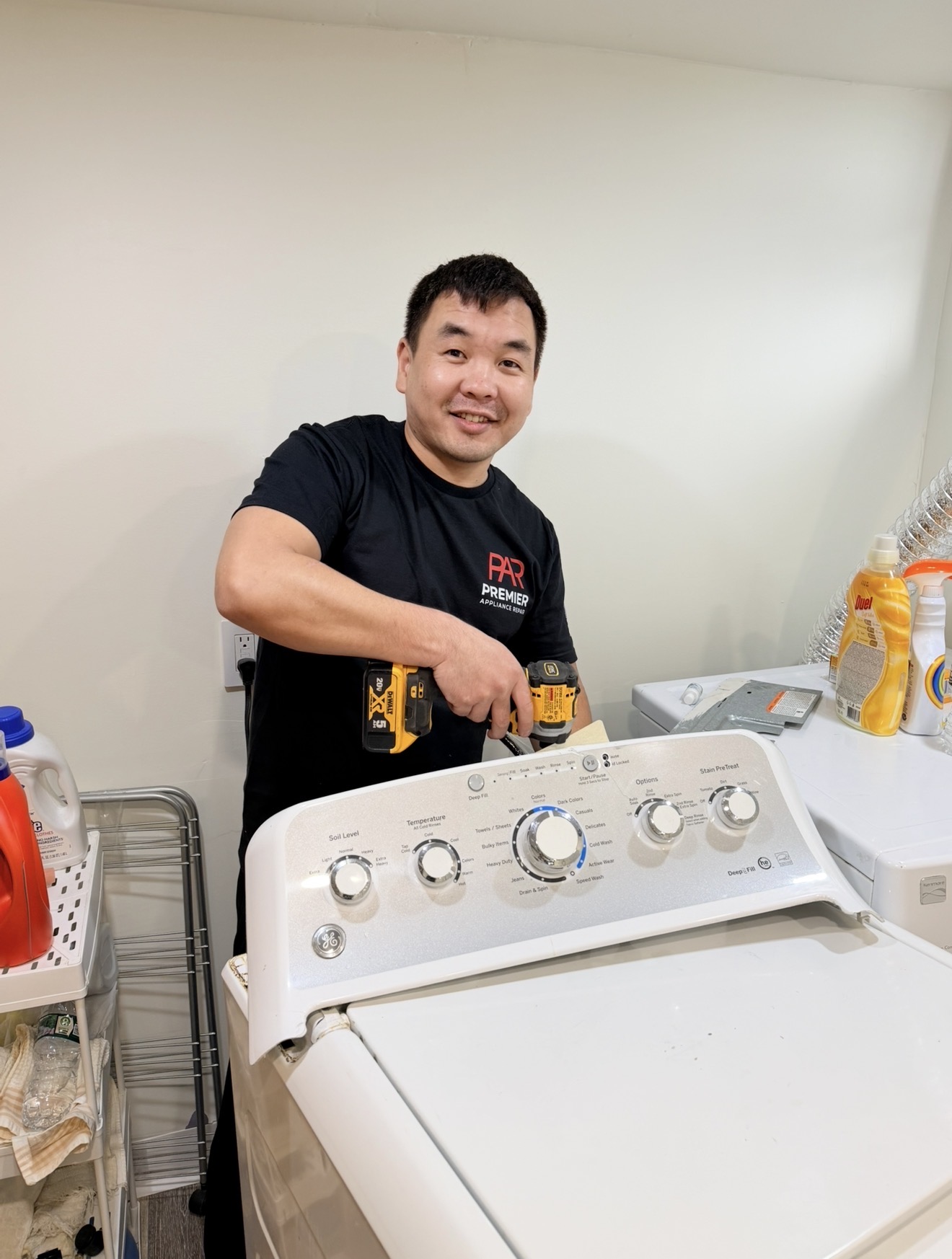
Badma — owner and technician, Premier Appliance Repair Inc
Badma Owner & Technician · Premier Appliance Repair Inc

The Repair Process

How a Samsung Oven Repair Visit Works

1

Call or Book — Share Your Model and Symptom

Call (929) 261-4444 or book online. Share your Samsung range model number (on the label inside the door frame) and a short description of what's happening — the error code, whether the burner clicks, whether you saw the igniter glow. Badma often has specific troubleshooting to try on the phone before scheduling, and some issues get solved in 5 minutes at no cost.

📅 7 Days a Week
2

On-Site Diagnosis — $80 Flat

Badma arrives, inspects the range, and tests the relevant components — bake igniter, spark module, spark electrode, temperature sensor, door lock motor, control board, wiring — to identify exactly what has failed. The $80 covers the visit and the diagnosis regardless of how long it takes.

3

Written Quote — Exact Price Before Any Work

You get the exact repair price in writing — the specific part, its cost, and the labor. If you approve, the $80 diagnostic applies toward the total. If you decide not to proceed, you pay only the $80 and Badma leaves. No pressure, no upsell.

4

Repair Done — Same Visit When Part Is On Truck

Most common Samsung gas range parts — bake igniters, spark electrodes, temperature sensors, door lock motors, common control boards — are on Badma's truck. Special-order parts are ordered and installed on a second visit, typically 1–3 business days. Every completed repair carries a 90-day parts and labor warranty.

🛡️ 90-Day Warranty

Service Coverage

Samsung Repair in Every Staten Island ZIP

Same diagnostic price, same warranty, same Badma — across the whole borough. Tap any ZIP for neighborhood-specific information.

10301
Silver Lake
Tompkinsville · Grymes Hill · West Brighton · St. George
10304
Todt Hill
Dongan Hills · Grasmere · Concord
10305
South Beach
Arrochar · Fort Wadsworth · Rosebank
10306
New Dorp
Oakwood · Midland Beach · Bay Terrace
10307
Tottenville
Richmond Valley · Charleston
10308
Great Kills
Bay Terrace · Hopkins corridor
10309
Pleasant Plains
Princes Bay · Conference House
10310
Port Richmond
Mariners Harbor · Elm Park
10312
Eltingville
Annadale · Huguenot · Woodrow
10314
New Springville
Bull's Head · Willowbrook · Travis · Graniteville
📍 North Shore 📍 Mid-Island 📍 South Shore 📍 East Shore 📍 West Shore 🛠 Samsung NX58 Series 🛠 Samsung NE-Series ⚡ Same-Day Service
CUSTOMER REVIEWS

What Staten Island
homeowners say.

★★★★★

Loading live reviews from Google…

PR
Premier Appliance Repair
5.0 · Google Reviews
View all reviews on Google

Connect With Us

Find Premier Appliance Repair

Frequently Asked Questions

Samsung Oven Questions — Staten Island

Why won't my Samsung oven heat?

On Samsung gas ovens (NX58 series), the most common cause is a weak bake igniter — it still glows orange but no longer pulls enough current to open the gas safety valve. Test: set Bake 350°F and watch through the oven window. Within 30–60 seconds you should see an orange glow followed by a blue flame. Glow but no flame = weak igniter, needs replacement (DG94-01012A on most NX58 models). No glow at all = dead igniter or wiring issue. Other quick checks before calling: make sure Demo mode isn't on (display shows 'd' or 'tESt'), the door is fully closed, and the breaker isn't tripped. On Samsung electric ovens (NE-series), the most common cause is a failed bake element after a self-clean cycle.

Why won't my Samsung oven turn on at all?

This is different from "won't heat" — here the controls are dead too. Even gas ovens need 120V electricity for the controls. Three steps: 1) Check the breaker labeled "Range" or "Oven" — flip OFF for 30 seconds, then ON. Sometimes breakers trip half-off. 2) Verify the wall outlet — over years the plug can vibrate loose behind the range. 3) Try a longer power cycle: breaker OFF for 5 minutes. If still dark, the control board, ribbon cable, or internal power supply has failed. Same-day repair available.

Why is my Samsung oven stuck at 150°F or 175°F preheat?

Samsung ovens display "150°F" during the entire preheat — the number only starts climbing once the oven actually exceeds 150°F. So a "stuck at 150°F" display almost always means the oven isn't heating at all — same root cause as "won't heat" above (most often a weak bake igniter). For "stuck at 175": check whether your panel is set to Celsius (175°C = 350°F, a common false alarm). If genuinely stopping at 175°F in Fahrenheit mode, the temperature sensor (DG32-00002B) is drifting badly and needs replacement.

The igniter glows but the burner won't light. What's wrong?

The most common Samsung gas oven failure on units 3+ years old. The igniter still glows orange, but it has weakened with age and no longer pulls enough current to open the gas safety valve — so no gas flows even though the spark is there. Replacing the gas safety valve is rarely the fix; replacing the igniter almost always solves it. Multimeter test: a healthy Samsung oven igniter reads 10–2,500 ohms. The bake igniter (DG94-01012A on most NX58 models) is a standard same-visit repair — Badma carries common parts on the truck.

Why does my Samsung oven take so long to preheat?

Three common causes: 1) Weak bake igniter — even when it lights the burner, a weak igniter cycles the gas valve open inefficiently, slowing preheat. 2) Worn door gasket — heat is escaping. Inspect the seal around the oven opening for tears or compression. 3) Drifting temperature sensor (DG32-00002B) — the oven shuts off heat early on a false reading. Buy a $6 oven thermometer to verify actual temperature versus display. Off by more than 35°F = sensor needs replacement.

How much does Samsung oven repair cost in Staten Island?

The diagnostic is $80 flat — same price for every Staten Island ZIP, North Shore to South Shore. After diagnosis, the repair price depends on which part failed and your Samsung model. We don't guess over the phone because two ovens with the same "won't heat" can need different parts. Common repairs (bake igniters, sensors, door lock motors) are mid-range; control boards are higher. You get the exact price in writing before any work starts. If you approve, the $80 applies toward the total. If not, you pay only the $80 and Badma leaves.

I smell gas near my range — what should I do first?

Do NOT try to fix this yourself. Turn off the range. Open windows. Don't flip any light switches or use lighters. Call National Grid's 24-hour gas emergency line at 1-718-643-4050 — they come out free and will shut off supply if there's a leak. Only after National Grid clears it and the area is safe, call us at (929) 261-4444 to repair the range part that caused the issue. We don't service live gas leaks — that's utility-company work. Once the gas is safe, we fix the appliance.

Do you cover all Staten Island ZIPs same-day?

Yes — all 10 Staten Island ZIPs same-day. North Shore: 10301, 10304, 10310. Mid-Island: 10306, 10314. South Shore: 10305, 10307, 10308, 10309, 10312. Same diagnostic price, same warranty, same hours: Mon–Sat 8am–7pm, Sun 9am–5pm. Same-day slots usually available if you call before 3pm. No weekend surcharge — $80 diagnostic is the same whether you book Tuesday morning or Sunday afternoon.

What Samsung models do you repair?

All Samsung gas ranges, electric ranges, and wall ovens. Common gas models: NX58H5600SS, NX58H9500WS, NX58M6630SS, NX58K3310SS, NX58F5500SS, NX58J5600SG, NX58M6850SS, NX58R5601SS, NX58T7511SS, NX60T8711SS. Electric: NE58F9500SS, NE58K9500SG, NE59J7630SS, NE63A6511SS, NE59M4320SS. Wall ovens: FE710DRS, NV51K7770SS. If you have a different Samsung model, call with the model number — we work on every Samsung range. Find the model number on a label inside the oven door frame or near the storage drawer.

How long is the warranty?

Every completed repair carries a 90-day parts and labor warranty. If the same issue returns within 90 days, Badma comes back and fixes it at no additional charge. The warranty is backed directly by Premier Appliance Repair — no paperwork to file with a third party.

Ready to Fix It

Samsung Oven Not Heating, Won't Turn On, or Stuck on Preheat? Try the DIY Steps First — Then Call Us

Same-day service across all 10 Staten Island ZIPs. $80 diagnostic, exact repair price after we see the problem, 90-day warranty on every completed repair.

Taking appointments today
📅 Book a Same-Day Visit 📞 Call (929) 261-4444